Currently* there"s no home-grown Apple monitor available for "headless" Mac models, such as the Mac mini and the Mac Pro. And, of course, many MacBook owners also like to have a larger monitor in their office that will provide a bit more screen real estate for tasks such as video-editing or photography, or for working on some big spreadsheets in Excel.
A larger screen can come in handy for iPads and other mobile devices too. There are plenty of professional-level graphics and design apps available for the iPad that can benefit from a larger display. Or maybe you just want to put your feet up and binge-watch House Of Cards on a larger screen.
You don"t need to spend a fortune on 4K or 5K displays either. If you just want to watch streaming video on Netflix or YouTube then there are plenty of affordable HD displays with standard 1920x1080 resolution that will fit the bill nicely.
A simple 21-inch display may cost £100 or less, but many of us are used to working on larger screens these days, so we"ve tended to focus on 25-inch models and larger here. Even so, there"s plenty of choice, ranging from less than £200, right up to £1,200 for LG"s amazing new 38-inch curved display.
(*Apple discontinued its range of displays in 2016, leading most to assume that the company was pulling out of that market. However, in April 2017 Apple announced its plans to produce an Apple monitor to sit alongside the also promised Mac Pro when it launches at some point in 2018 or 2019. We have an article that discusses what new features the new Apple monitor may bring).
There are a couple of important things to consider before you take a look at the screens, displays and monitors we"d recommend, so here"s a brief breakdown of the differences and options to look out for.
Inputs and outputs
Monitors are traditionally connected to computers via a VGA or DVI connection, Apple"s favoured Thunderbolt 2 (which is backwards compatible with Mini DisplayPort) or, latterly, HDMI. HDMI is the newer and preferable form of connection, but not all Macs have this. The Macs that include an HDMI port are:
- Mac mini (Mid 2010) and later models
- MacBook Pro with Retina display (Mid 2012) and later models
- Mac Pro (Late 2013)
If you"re using a MacBook Air, then you won"t have an HDMI port. However, you will likely have a Thunderbolt port, which supports HDMI output with a cheap but useful Mini DisplayPort to HDMI adaptor.
There"s also a new port in town - some new Macs are now shipping with Thunderbolt 3/USB Type-C ports (it"s the same port and it supports both standards). So you can expect to see lots of new displays that plug into this new port.
Here"s Apple"s official rundown of which of its Macs support HDMI and how they handle audio and video output. And here"s the company"s list of the ports on its latest Macs.
Read our article on how to connect a second screen to a Mac which explains everything you need to know about how to identify which ports you have, the adaptors you will require, and how to set things up on your Mac.
Ergonomics
This is the other important factor to bear in mind when choosing your monitor. If you are going to spend a lot of time sat at a desk looking at your new display then you need to keep ergonomics in mind, or you might end up with neck or back ache.
Ideally, look for monitors that are adjustable - you"ll want to make sure that the monitor is positioned so that you can comfortably look at the screen. There is a point at about 2 to 3 inches from the top of the screen that should be at eye level.
You also want to look for monitors that won"t suffer from glare, or you will be forever repositioning the monitor (or your head) to compensate for it.
With all that in mind, here are our recommendations for the best monitor for your Mac in 2017.
1. Philips 258B6QU
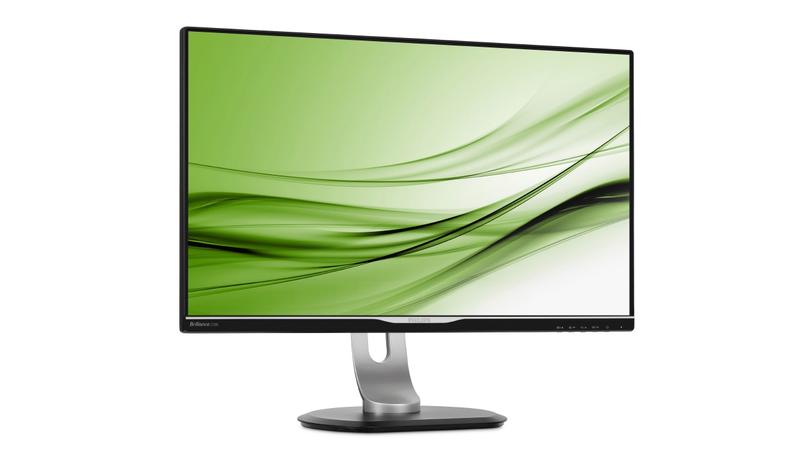
It"s always been annoying that Apple only offers iMac monitors in two sizes - compact 21-inch models for home users, and 27-inch for professional users.
The Philips 258B6QU is a good middle-of-the-road alternative, offering a high-quality 25-inch display that is suitable for either home or office use for around £360.
The 2560x1440 resolution may not be state-of-the-art, but it"s more than adequate for watching high-def video, web browsing, gaming or using Microsoft Office at work.
It"s bright and colourful, and while it might not provide the colour-fidelity required by designers or photographers it"ll still work a treat for most home users and office workers who simply need a compact and attractive screen.
It"s a very practical option too, as the stand allows you to tilt and swivel the screen, and adjust the height, with just slight pressure from a your fingers. You can rotate it as well, to provide an upright portrait display if required.
The monitor is also jam-packed with connectivity options that will come in particularly handy for office use. It"s got a USB-C port for connecting to the latest Mac models, along with DisplayPort for older Macs, and HDMI, DVI and VGA for everyone else.
The built-in USB hub includes three USB 3.0 ports - with one offering a "fast-charge" option for mobile devices - and there"s even an Ethernet port, which provides a wired network connection for MacBook laptops that don"t have Ethernet.
2. Acer H277HU
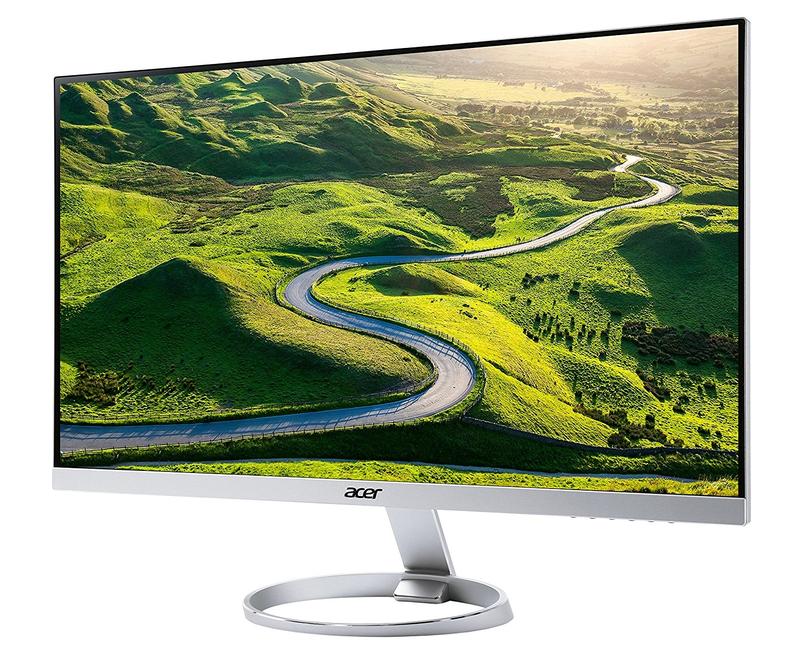
Acer"s H277HU is a little pricey for a monitor with sub-4K resolution, costing around £450, but it"s well connected and is a good option if you need a versatile display that you can use with multiple devices at home or in an office.
Tucked around the back of the slimline panel you"ll find a USB-C connector, which allowed us to quickly hook up our new MacBook Pro.
There"s a DisplayPort interface for older Macs, and HDMI for other types of computer, games consoles and set-top boxes. There are also two USB 3.0 interface as well, with one providing a "fast charge" option so that you can quickly top up an iPhone or iPad.
The 27-inch display only has a resolution of 2560x1440, which is relatively modest by Apple standards these days, but that"s still more than enough for watching HD video, doing a spot of photo-editing, or playing with really large spreadsheets in Excel.
The image is bright and clear, with very bold colours, but Acer also includes a blue-light filter to ease the strain on your eyes, and there"s a glare-reduction feature that works well even with the sun pouring through our office window on a bright summer afternoon.
Our only real complaint is that - like the monitor on the iMac - it doesn"t allow you to adjust the height of the screen.
3. AOC U2777PQU
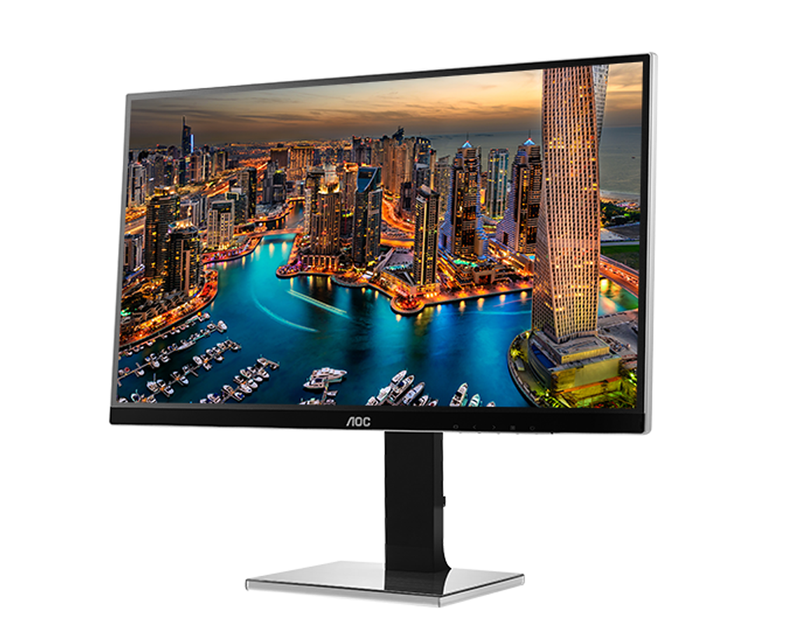
The LG monitors that Apple is currently promoting on the Apple Store are almost as expensive as Apple’s own monitors used to be, costing over £600 for a 4K display that is just 21.5-inches in size.
AOC’s U277PQU is a good alternative, as it provides a larger 27-inch display with 4K resolution (3840x2160) for only a little over £500.
Getting started is, admittedly, a bit of a hassle, as the screen, stand, and base all come as separate parts that have to be screwed together, and many of the controls and connectors are annoyingly tucked on the underside of the screen.
However, the U277PQU is one of the few monitors here that allows you to tilt and swivel the screen, adjust the height – and even rotate the screen into upright portrait orientation.
There’s no USB-C port, so you may need an adaptor for the latest Mac models, but the U277PQU does include HDMI, DisplayPort, DVI and even analogue VGA connectors for really old Macs and PCs.
It’s also got a good built-in USB hub with two USB 2.0 and two USB 3.0 connectors, so you can hook up a printer, hard drive and other peripherals in your office.
The 4K display is as clear and sharp as you’d expect, with well-balanced colours that are bold and strong without becoming over-saturated. It works a treat for watching 4K video, or simply juggling multiple open apps and windows on screen when you’re trying to get some work done.
The display also supports 100% of the Adobe sRGB colour-space, so that upright/pivot option will be handy for web design or photography too.
4. Dell S2718H
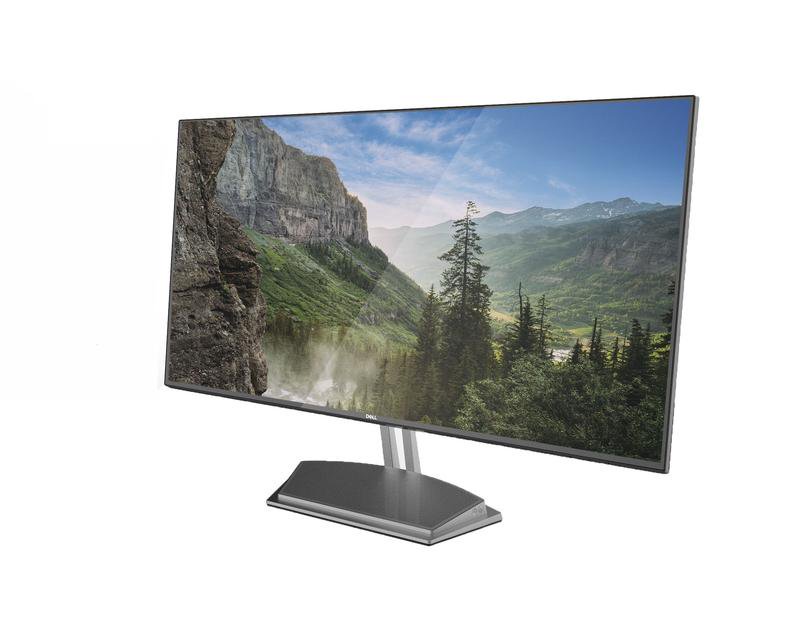
It"s not often that we recommend Dell products to Mac users, but the PC manufacturer does also have a very good range of monitors.
The S2718H isn"t the cheapest 27-inch monitor currently available, especially as it only has standard HD resolution (1920x1080 resolution). Even so, the image quality is very good, thanks to the monitor"s support for HDR - high dynamic range.
This provides a bright, colourful image that looks much crisper and sharper than you might expect from the relatively low resolution. It works really for watching streaming video and web browsing, with strong contrast that seems to enhance detail and colour and produce very realistic images.
We also like the anti-glare coating, which works well even under harsh overhead lighting in our office.
The monitor supports 99% of Adobe"s sRGB colour-space, so while pro users may prefer a display with higher resolution, the S2718H is still a good option for home users who want to do a spot of photo-editing, or business users who need to work on presentations or marketing materials.
And, of course, it"ll be a good option if you want to use a larger display with your laptop when you"re working in the office.
The only disappointment is that the 2718H is a bit more basic when it comes to connectivity and other features. There"s no USB hub, and it"s only equipped with HMDI and VGA interfaces, so you"ll probably need to buy an adaptor in order to use it with most Macs or iOS devices.
Even so, the HDR screen is very attractive, and is a good option for home or business users who don"t want to pay a fortune for a 4K or 5K monitor.
5. Asus ZenScreen MB16AC
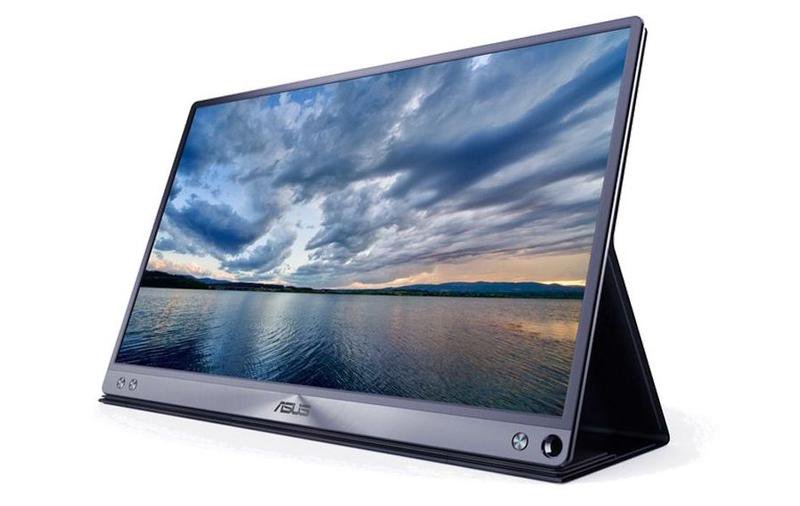
Apple and other companies are increasingly focusing on large, high-resolution displays suitable for 4K video editing, graphics, or gaming. And, of course, those big, heavy displays just tend to sit in one place at home or in your office. However, Asus has come up with an interesting twist, with its portable ZenScreen display.
The ZenScreen is a slimline 15.6in display that measures just 8mm thick, and weighs 0.8kg. It draws its power from a USB-C interface, so you can easily use it with a 12- or 13-inch MacBook laptop, perhaps to give a presentation when you"re travelling. It"ll come in handy in the office too, providing a larger screen for working with Microsoft Word or Excel documents, or just for watching a spot of Netflix at home in the evening.
Asus includes a smart wraparound cover with the ZenScreen, which looks similar to the smart covers that Apple makes for iPads and, like the smart covers, it can be folded so that it acts as a convenient stand to prop up the screen when you"re working. Like a conventional monitor, the ZenScreen has its own on-screen menu, which provides features such as a blue-light filter to ease the strain on your eyes, and there are preset viewing modes suitable for watching video, photo-editing or gaming.
It"s also possible to connect the ZenScreen to a laptop with an older USB-A interface, although this requires the use of additional software, called DisplayLink. Unfortunately, the DisplayLink software for Mac has always been a bit unreliable, so we"d recommend that you stick with newer MacBooks and other laptops that have USB-C.
6. LG 38UC99
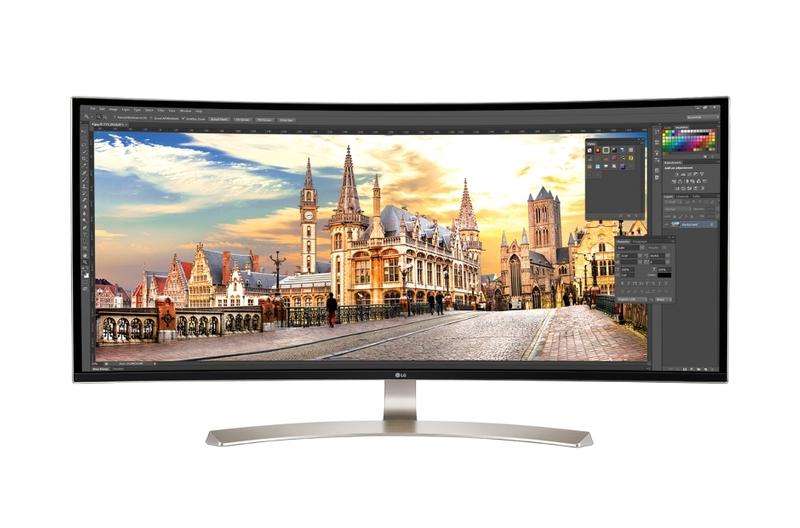
With its own line of monitors discontinued (for now), Apple has been pointing people in the direction of LG"s attractive 4K and 5K monitors instead.
However, the latest addition to the LG range is even more striking - a monster 38-inch display with wide-screen 21:9 aspect ratio, that curves inward like your own personal home cinema.
Despite its enormous size, the 38UC99 doesn"t provide true 4K resolution (3840x2160) - opting instead for a resolution of 3840x1600.
However, that makes sense for the 21:9 aspect ratio, which is ideal for watching high-def video, or simply for juggling multiple documents or browser windows on screen all at the same time.
The image is wonderfully bright and colourful, and the curvature of the screen makes you feel like you"re being drawn right into the action when playing games or watching the latest action-packed movies.
And while the 38UC99 might seem tailor-made for home entertainment, it does support 99% of the Adobe sRGB colour space, so it can turn its hand to occasional graphics and web design work too.
To make sure that the 38UC99 earns its keep you"ll find a USB-C port on the back for the latest Macs, along with DisplayPort and two HDMI ports for other devices. There are also two USB-3 ports available, with one quick-charge port for your mobile devices.
It"s also one of the few monitors we"ve seen that actually has a decent set of internal speakers, with its "rich bass" effect digging down to 85Hz and below to really add impact to those Hollywood blockbusters.