Showing posts with label TechRadar. Show all posts

Monday, 1 January 2018

VPN Speed review

VPN Speed is a torrent-friendly Android VPN app with more than a million installs reported on Google Play.

The free service supports only three countries: Netherlands, UK and US. There are ads – lots of ads – and individual sessions will be disconnected after an hour unless you remember to tap a Reset button.

VPN Speed doesn"t have any bandwidth limit, though. It doesn"t require registration either. The developer claims it unblocks Netflix and many other sites (more on that later), and says the service won"t log or share your data.

You can upgrade to the commercial service to remove the ads and time limits, improve performance and get access to 21 locations around the world. The full list of locations is as follows: Bulgaria, Canada, Czech Republic, France, Germany, Hong Kong, Ireland, Italy, Lithuania, Luxembourg, Latvia, Netherlands, Romania, Russian Federation, Singapore, South Africa, Sweden, Switzerland, Ukraine, as well as the UK and US.

That"s an interesting selection: it isn’t good if you need Asian locations, but it’s far better than most services for Eastern Europe, and South Africa is another relatively unusual plus.

The price is steep, unfortunately, at £11 ($13.75) a month or £5.52 ($6.90) a month over a year. Even a premium VPN like IPVanish would only cost $6.49 (£5.20), and that would give you more locations, many more features, and clients to run the service on all your devices.

Privacy


Understanding who owns and runs a VPN can help you figure out how trustworthy they might be, but that"s very difficult here. VPN Speed"s Google Play page says the app is offered by VPN Speed Master, but there"s no information on who this is, no clear official website for them or the service, and the contact for the developer is a simple Gmail address and a street address in Ukraine.

With no official privacy policy to hand, all we have to look at is VPN Speed"s Google Play page, where we"re told:

"No Users" logs collected or stored. No Users" data sold out or shared!"

Sounds great, in theory, although we"ve lost count of the number of VPNs which tell you that on the front page, and something entirely different in the small print.

How much this really matters is open to question. You don"t have to register or hand over any personal details, so there"s not much that the service can share. We would still like to have a clear explanation of what is and isn"t happening when we connect and use the service, but if you"re only using the VPN for simple tasks, like viewing region-blocked YouTube clips, the low-level details might not matter.

We moved on to check app permissions, and this is what VPN Speed requires:
  • In-app purchases

  • Receive data from internet

  • View network connections

  • Full network access

  • Run at startup

  • Control vibration

  • Prevent device from sleeping


There are some significant permissions here, but only those necessary to run the service, and we"ve seen other legitimate VPN apps ask for much more.

Performance


After an easy installation process, VPN Speed opens with a simple and straightforward interface. Choose a location, tap the Connect button and your connection is protected within a few seconds.

The issues with the free version are also quickly obvious. There was an animated ad on the main screen. Full-screen ads appeared occasionally, and a countdown timer reminded us that our session would end in under an hour. (A Reset button sets the timer back to one hour, so that"s not quite as annoying as it seems.)

Other ads appear at different points in the app, and this can get irritating. We clicked Disconnect, and an ad appeared in the centre of a "Do you want to disconnect?" dialog. It would be easy to tap the ad accidentally, rather than the tiny ‘Cancel’ option at the bottom of the screen. We managed it anyway, but then another full-screen ad appeared and we had to close that. Occasionally a full-screen ad would appear below other windows and we"d run into them later.

The app does have some welcome bonus features. A Settings dialog enables choosing between IPsec and OpenVPN protocols, an option you won"t always see on mobile apps. And if you want some reassurance that the service really is working, tapping a ‘What Is My IP’ link opens a website to show your current IP address and location.

VPN Speed claims it allows you to "browse the web as though you were anywhere in the world." That"s a stretch, particularly with just three locations available in the free version, but we tried it anyway. Netflix recognized that we were using a VPN and refused to stream any content, but we were able to bypass protection on YouTube, Comedy Central and BBC iPlayer.

Our performance tests* suggest you might have streaming problems regardless, as download speeds on the free plan were a sluggish 0.5-3Mbps across all locations. We tried Opera Free VPN on the same device immediately afterwards and averaged 9Mbps without any problems.

Signing up for the Premium plan"s free seven-day trial dropped the ads and gave us access to all 21 locations. Would this help improve speeds? Well, to a degree. The UK, US and Netherlands locations seemed more consistent but still delivered around 3Mbps at best. But if you"re able to use another server, it"s possible to get much more. Luxembourg gave the best results from our UK testing point with download speeds of around 18Mbps, as much as our connection could manage, and even Singapore managed 6Mbps.

Whatever plan you"re using, VPN Speed does a decent job of protecting your identity from snoopers. We pointed our device at ipleak.net, doileak.com and other privacy testing sites, and the service had correctly shielded our IP and DNS addresses at all times.

Final verdict


VPN Speed works at a basic level, but the irritating ads and slow speeds are a problem, and the commercial Premium plan isn"t worth the price. You"ll be better off with a free product like Opera VPN, or any of the big-name commercial VPNs.

*Our testing included evaluating general performance (browsing, streaming video). We also used speedtest.net to measure latency, upload and download speeds, and then tested immediately again with the VPN turned off, to check for any difference (over several rounds of testing). We then compared these results to other VPN services we"ve reviewed. Of course, do note that VPN performance is difficult to measure as there are so many variables.

Saturday, 30 December 2017

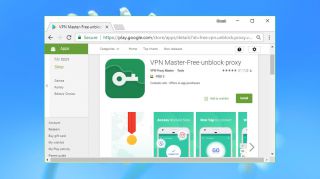
VPN Proxy Master review

Some VPNs struggle to make themselves stand out from the crowd, but VPN Proxy Master isn"t one of them. The website boasts that it"s the "world"s fastest free VPN", and with a reported 60 million plus users it seems likely that it"s doing something right.

Network size isn"t a service highlight, with servers in six locations only: France, Germany, Netherlands, Singapore, UK and US. Still, we"ve seen free products with less.

The free service has plenty of ads. There are animated icons begging to be clicked, full-screen video ads which demand you "wait 5 seconds to skip", another ad embedded in the Disconnect dialog – and unexpected notifications if you"ve left the service turned off.

There"s no support for torrents, and the apps warn you that any torrent use could get your account deleted. This could be a hassle for some, but it"s no real surprise for a free service, and at least it means there"s more bandwidth left for everybody else.

Plus points include instant access to the network, with no signup, no usernames, and no need to hand over your email address or other personal details.

There are no annoying bandwidth restrictions, either. You can use the service as much as you like.

If you need more, upgrading to the paid VIP service drops the ads and gets you access to faster servers and more locations (Canada, Germany, India, Japan, Russia and South Korea). Monthly prices are steep at $11.99 (£9.60), but choose the annual plan and this plummets to $3 (£2.40). There"s an entirely free seven-day trial, and you can get an extra seven days for every friend you invite to use the service.

Privacy


The VPN Proxy Master website doesn"t have a clear link to its privacy policy, but fortunately it"s listed on the download pages for both the Android and iOS clients.

The company claims it runs a ‘no log’ network, stating: "We do not collect any information regarding the websites you visit or the IP addresses assigned to you when you access the VPN Master Private Network, and with respect to our VPN service, we do not collect any data stored on or transmitted from your device, including any data that applications on your device may transmit through our network."

This is essentially the ‘we don"t log what you"re doing online’ statement made by just about every VPN, although there"s a welcome extra detail. There"s no logging of outgoing IP addresses assigned when you connect to the service, a trick which could help trace an internet action back to your account.

Another clause might rule out some session logging: "...any browsing information or other similar information relating to your online activities transmitted by you to our servers when using VPN Master is cleared after your VPN ‘session’ is closed."

This could mean VPN Proxy Master isn"t recording the bandwidth used in a session, although it"s hard to say for sure.

There"s scope for the service to be logging your incoming IP address, and we"d like to see this explicitly discussed in the privacy policy. But whatever the company might collect, free plan owners don"t have to hand over an email address or other details, so there"s little to connect any action back to you.

Performance


Be very, very careful when searching for VPN Proxy Master on your mobile app store. There are a host of other apps which use very similar names and logos, presumably hoping you"ll not notice and install them, instead. Ideally, follow the download links from the official app site, or otherwise look for an app called ‘VPN Proxy Master- Free Security’, with the developer listed as VPN Proxy Master.

Once you"ve located the right store page, everything else is easy as there"s no need to create an account or hand over any details. All you have to do is install and open the app as usual.

The interface is almost as simple. A big ‘Go’ button automatically connects you to the fastest server, or you can get specific and choose your preferred location from a list. Server load indicators help you make the best selection, and you"re also warned if a server is full (at least one of the three US servers was always marked as full during our review).

The free version has plenty of ads, including annoying full-screen pop-up video types with timers to prevent them being closed immediately. They mostly appear when you"re performing some app task, though, so if you just leave VPN Proxy Master running in the background you"re unlikely to be hassled.

VPN Proxy Master"s Google Play page says it "encrypts data using OpenVPN protocols (UDP/TCP)". That sounds great, as OpenVPN is fast and secure, and experienced users will appreciate the control over how OpenVPN works – but we stumbled across a problem. We couldn"t see any option to switch protocols or see what protocol you"re currently using, and when we checked our device settings, the app seemed to be using a regular Android connection rather than OpenVPN.

Curious about this, we sent the company a question via its official email support address. We asked: "Your Google Play page says the app supports OpenVPN TCP and UDP, but it looks like it"s using a regular connection. Which protocols do you actually support?"  The app tagged a footer onto our email making it clear that we were using an Android device in the UK.

A couple of days later, this reply arrived (we"ve not edited it in any manner):

“But we do not want to lose you as our good friend, if it is ok, we would like to tell you the following ways:

1. You may need to cancel the subscription at first, and about this problem, please contact with Apple"s official customer service, or use the link (https://support.apple.com/en-au/HT202039) to cancel it. We have no right to cancel vip for IOS users. We apologize for the inconvenience again.

2. If you want to download our product, i would like to introduce the other products for you:

VPN Master  https://appsto.re/us/D3Wi9.i

Turbo VPN  https://itunes.apple.com/us/app/turbo-vpn-unlimited-vpn-wifi-security-proxy/id1177977195?mt=8

Hot VPN  https://itunes.apple.com/us/app/hot-vpn-proxy-unlimited-privacy-security-vpn/id1147497109?mt=8

VPN Robot  https://itunes.apple.com/us/app/vpn-robot-unlimited-security-vpn-proxy/id1227702816?mt=8

Snap VPN  https://itunes.apple.com/us/app/snap-vpn-unlimited-security-vpn-proxy/id1123869948?mt=8

VPN Monster  https://appsto.re/us/_m0Ukb.i

Master Pro  https://itunes.apple.com/us/app/vpn-master-pro-unlimited-secure-vpn-proxy/id1035355817?mt=8

But now we could not provide in China and with Chinese, hope you can understand us, thanks.”

That"s a very long way from being helpful, but it"s useful as a measure of the support you can expect from VPN Proxy Master (nothing at all). It"s also interesting to see how the reply appears to suggest all these other apps are also "our product", even though the app pages have several different developer names: Express Limited, Chen Lan, Li Chen, All Connected. How are they connected, and who is really behind the service? Your guess is as good as ours.

During early testing, we noticed an odd issue with the free UK server, which our checks suggested was actually in Germany. That"s not very helpful if you need to access a UK resource.

Performance was disappointing in our tests*, especially for a service claiming to be the world’s fastest free VPN. Our best European speeds reached an acceptable 16Mbps, but UK to US connections managed an unimpressive 10Mbps and Singapore peaked at 4Mbps.

The service did better at site unblocking, allowing us access to Netflix, YouTube and Comedy Central. BBC iPlayer was the only service VPN Proxy Master wouldn"t allow us to access, which is not surprising when its UK server isn"t actually in the UK.

Would upgrading to the commercial VIP plan make any difference? A "Try Free VIP" tab looked promising, but tapping it just gave us a ‘Sync VIP Information, please wait a moment’ message that stayed unchanged for the next 30 minutes, and the following two times we tried it. Eventually we found a second "Try" option in the Upgrade screen, and that worked immediately, setting up an automatic subscription but not taking any payment for the first seven days.

Getting rid of the adverts was an immediate relief, and the upgrade also allowed us to choose locations from the Faster Server tab. Two of these were conveniently labelled as "for Netflix", so hopefully you won"t have to try multiple servers to find one that works.

Our streaming tests ran as before, with all our test sites accessible except BBC iPlayer. There was a different reason, though: the VIP server labelled as being in the UK appeared to be in the US. (Sigh).

Our performance checks also showed little change. The best European servers averaged around 15Mbps, while US locations typically managed 10Mbps. That"s usable, but nothing more.

The review ended on a positive note, at least, as we ran through our privacy checks. Ipleak.net, doileak.com and other websites didn"t reveal any DNS or other leaks.

Final verdict


VPN Proxy Master isn"t as fast or as capable as it pretends, especially with the UK server which isn"t in the UK, but let"s be realistic – there aren"t many other free VPNs that can unblock Netflix and give you unlimited bandwidth. In that respect, it’s worth a try for mobile devices.

*Our testing included evaluating general performance (browsing, streaming video). We also used speedtest.net to measure latency, upload and download speeds, and then tested immediately again with the VPN turned off, to check for any difference (over several rounds of testing). We then compared these results to other VPN services we"ve reviewed. Of course, do note that VPN performance is difficult to measure as there are so many variables.

Sunday, 24 December 2017

Fitbit Charge 2 review

If you"re wearing a Fitbit right now there"s a good chance it"s a Fitbit Charge or a Fitbit Charge HR on your wrist – but there"s now a new Fitbit in town. The Fitbit Charge 2 is the first upgrade to the popular Charge range since the Charge HR, which appeared early in 2015.

The Fitbit Charge 2 brings with it a couple of new features, and along with features we"ve seen before on the Charge HR, the Fitbit Alta and the Fitbit Blaze, it adds up to an impressive-looking package.

Fitbit specializes in accessible and easy to use fitness trackers, rather than more complicated running and fitness technology. With exercise, sleep, heart rate tracking and much more, the Charge 2 looks like a well-specced wearable that won"t break the bank.

Fitbit Charge 2 price and release date


  • The cheapest Charge 2 starts at $150 (£129.99, AU$250)

  • We"ve seen the price drop as low as $129 or £89.99

  • Leather straps are expensive at $69.95 (£59.99, AU$119.95)


The original RRP for the Fitbit Charge 2 was set at $150 (£129.99, AU$250) with a plastic band and $179.95 (£149.99, AU$289.95) for the Special Edition versions, which have more premium-feel straps. You can also buy leather straps separately in a light brown, indigo or pink, for $69.95 (£59.99, AU$119.95).
We"ve seen a variety of retailers drop the price further though with the price touching as low as $129 or £89.99 at some points. We can expect to see some more sale prices over the Boxing Day sales.

The Charge 2 is more expensive than the Fitbit Flex 2 though, so it may be worth your while checking out that tracker too.

Design


  • Larger screen full of extra details

  • Thicker band than before, so takes up more room on your wrist

  • Easy to swap bands, but each will need working-in to attach properly


Design-wise, the Fitbit Charge 2 is much the same as other Fitbit devices, and feels a little like the lovechild of the Charge HR and the Fitbit Surge.

There"s a much larger screen here than on the Charge HR – but the device is a fair bit thicker too, so you may not be a fan if you liked the compactness of the last version.
That said, the screen is still relatively small and it"s not colour, but it is an OLED display, so all the information the Charge 2 delivers is easy to read – plus it"s a touchscreen, which is a first for the Charge range.

The touchscreen proved a little unresponsive at times during our review, but we never found it particularly frustrating – you just need to give it an extra tap sometimes.

There"s a button on the left-hand side of the tracker that you use to skip through the menu options, such as steps, time, heart rate and calories; you can hold this button down to activate certain features as well.

The Fitbit Charge 2 tracker itself is rather small, and comes with one two-section strap in the box. Each part of the strap can be detached by pulling it out of clips on either side of the tracker, if you want to swap-in a different one for a style change.

You can get the elastomer (basically rubber) strap in light blue, dark blue, black or purple. The two more premium options for the fashion-conscious among you are lavender/rose gold and black/gunmetal.

There are also more premium Luxe straps available which are made of real leather. The color choices are light pink, brown and indigo but each costs a hefty  $69.95 (£59.99, AU$119.95).
This level of customization is welcome, but we did find it a bit of a struggle to connect a band at first. Sometimes it would sit a little off of the tracker, but after a while it worked itself into the right position.

Fitbit has improved the materials used in its straps dramatically over the past five years. The original Charge launched with a strap that irritated a lot of people"s skin, but this new version was comfortable throughout our review period.
It felt comfortable, and compared to many other fitness trackers this is a lot easier to wear throughout the day.

We didn"t always want to wear it to bed, as Fitbit suggests you"ll want to, but it feels secure on your wrist and isn"t going to become irritating; it"s also comfortable to wear when you"re typing at a desk, so you won"t necessarily need to take it off when you"re at work.

The Charge 2 isn"t waterproof like the Fitbit Flex 2, but it is water-resistant, meaning it can handle a few splashes while you do the washing up, or sweat when you"re exercising.

You won"t be able to wear the Charge 2 in the shower or when swimming, though. It"s nice to be able to wear a fitness tracker in the rain without worrying about it being damaged, but we"d have liked to see Fitbit make the Charge 2 fully waterproof.