Wi-Fi routers aren"t the most exciting gadgets in the world. Most of them are rather ugly-looking lumps of plastic that sit in a corner, with annoying cables trailing across the floor. But, as we all spend more and more time online, using a variety of desktop and laptop computers, iPhones, iPads and other mobile devices, it becomes ever more important to have a fast, reliable Wi-Fi network that can handle all the tasks we throw at it.
Speed, of course, is crucial - especially when it comes to new technologies, such as streaming 4K video, or playing the latest 3D and virtual reality games online. But there are other factors that are just as important.
The 802.11ac version of Wi-Fi has been around for a few years now, and many people will already have 802.11ac Wi-Fi routers that were provided by their broadband supplier. However, the latest "Wave 2" routers will include newer features, such as "MU-MIMO" (multi-user, multiple input, multiple output), which provide more reliable performance when sending data to multiple devices all around your home or office.
And, just recently, we"ve seen a new generation of "mesh" networking systems, which use two or more routers linked together to provide wider coverage that can send the Wi-Fi signal even into upstairs bedrooms or garden sheds that a conventional router can"t reach.
1. Netgear AC2300 Nighthawk R7000P
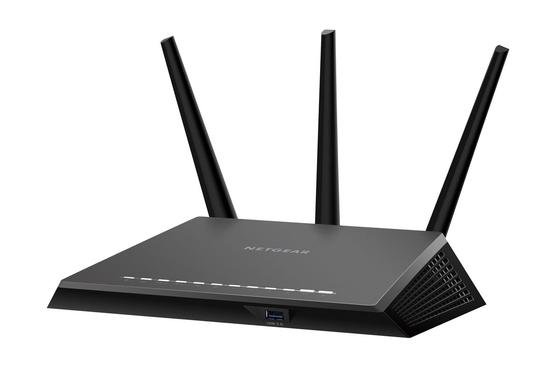
Netgear really needs to do something about its naming system, but if you can wade through the confusing model numbers you"ll find the R700P a really good mid-range router that provides strong performance and a useful range of features for only around £150.
The R7000P is a Wave 2 router, so it supports dual-band 802.11ac with speeds of up to 2300Mbps. That"s not the greatest speed on offer from the latest routers, but it will still be fast enough for most homes and able to cope with demanding tasks such as gaming and streaming 4K video.
The router also supports MU-MIMO and, like Apple"s Airport routers, it can use a technique called "beamforming" to target the Wi-Fi signal more efficiently in the direction of each of your devices and follow them around as they move from room to room around your home.
Netgear provides its own app to set up the router, but the R7000P is also designed with families in mind, and includes a special set of parental controls through another app, called Circle, that was developed by Disney.
The Circle app includes a wide range of options that help parents to monitor internet usage in their home, including the ability to create profiles for children of different ages, and to set time limits for web use and even individual web sites. You can also pause internet access at mealtimes when you want to get everyone around the table without staring at their screens the whole time (but watch out, as some of the features in the Circle app do require a $5 monthly subscription to use, which is a bit annoying).
The R7000P even works with Amazon"s Alexa voice-assistant if you have one of its Echo speakers - although, sadly, Netgear hasn"t shown much interest in Siri or HomeKit so far. The only other thing missing from the R7000P is a modem, so you"ll have to connect it to the existing modem or router that provides your internet access.
2. BT Smart Hub
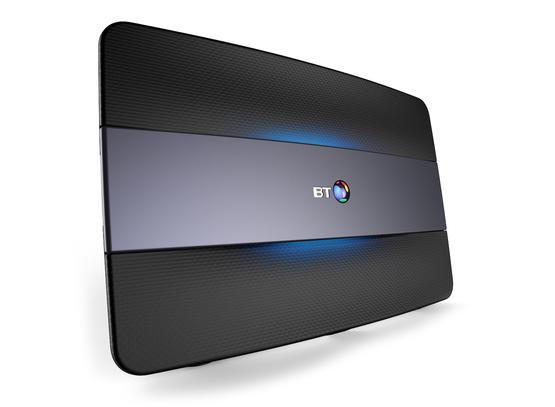
Love it or hate it, BT is still the UK"s biggest broadband provider, and while it"s been super-slow at rolling out super-fast broadband across the country we"ll admit that BT does actually make some pretty good Wi-Fi routers.
The old BT Home Hub range has recently been replaced by the new Smart Hub, which works with both conventional ADSL broadband and BT"s high-speed Infinity fibre broadband (for those people lucky enough to get it). Unlike most of its rivals, the Smart Hub is a modem-router - it combines a modem for internet access, and a Wi-Fi router for your home network in a single device, so you don"t need to hang on to your existing modem or router in order to use it.
The full price for the Smart Hub is £130, but if you"re an existing BT customer you can upgrade your old Home Hub for just £65. The Smart Hub has the same slimline design as the Home Hub - which is designed to fit through a letter box in case there"s no-one at home when it arrives in the post - and it"s certainly a neater-looking device than most of its rivals.
Like the previous Home Hub 5, the Smart Hub provides dual-band 802.11ac wifi on the 2.4GHz and 5GHz bandwidths. However, the Smart Hub does improve other features, and now includes no less than seven internal antennae, which allow it to support MU-MIMO that provides more reliable connections for multiple devices around your home or office.
There are four Gigabit Ethernet ports on the back of the router for devices such as games consoles - and maybe the new 4K Apple TV - that work best with a wired connection, and a USB port that allows you to share a printer or hard drive with other people on your network.
3. TP-Link Archer C9 AC1900
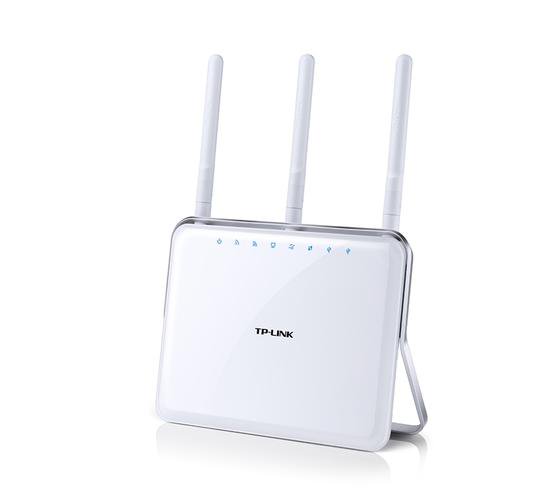
TP-Link"s Archer C9 isn"t the fastest or most up-to-date router around, but it"s a good, affordable upgrade for people who may still be using older 802.11n or 802.11ac routers that were provided by their broadband supplier.
It"s quite neatly designed, with a gleaming white slimline design that sits neatly in a corner at home.
The C9 is a dual-band 802.11ac router, with support for both 2.4GHz and 5GHz bands, which together provide a total data throughput of around 1900Mbps per second. There are faster routers available, of course, but that should still be fast enough for most homes - unless you"ve got some avid gamers online every evening, or streaming 4K video from Netflix - and if you shop around you can find the C9 online for around £100.
The C9 is a straightforward Wi-Fi router, though, and it doesn"t include a modem, so you"ll need to hang on to your existing modem or router in order to provide internet access. It doesn"t provide the latest Wave 2 features either - not at this price - but does support beamforming to provide a strong, reliable wifi signal to multiple devices around your home.
It"s got some useful extra features, too. Along with its four Gigabit Ethernet ports for wired connections, the C9 includes both USB 2 and USB 3 interfaces, so you could use USB 2 for a shared printer and the faster USB 3 for a network hard drive. The TP-Link app also includes options such as the ability to set up a temporary guest network, and even an FTP server option that provides remote access when you"re away from home.
4. Google Wifi
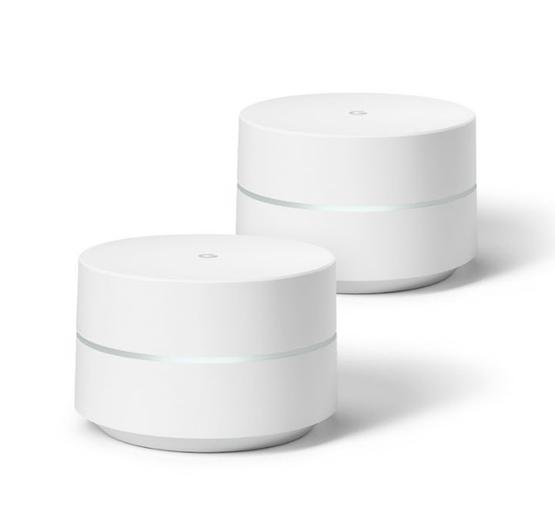
Mesh networking is this year"s big thing - providing either two or three routers that work together to provide really reliable Wi-Fi coverage for larger homes, or for homes with rooms on upper or lower floors that might struggle to get a good Wi-Fi signal.
You"re spoilt for choice at the moment, with new mesh networking systems available from all the big names in networking. If you"re a BT customer in the UK, then BT"s Whole Home is good value at around £200, but among the many other mesh devices that have been launched recently we actually like Google Wifi a lot.
You can buy a single disc-shaped Google Wifi on its own for about £130. This isn"t the fastest router around, providing dual-band 802.11ac Wi-Fi with a relatively modest speed of 1200Mbps. However, the Google Wifi comes into its own when you buy a twin-pack with two routers for £229. And if you live in a mega-mansion that needs really wide-ranging network coverage there"s a three-pack available for a whopping £340.
Two routers should be fine for most homes, though, and you simply place the two routers in separate rooms and then link them together to provide wider, more reliable Wi-Fi coverage than you would get from just a single conventional router.
The Google Wifi app - available for iOS and Android - is well designed and easy to use. It gives you plenty of help setting the routers up, and can test the speed of your new network to make sure that everything"s working properly. It also provides some good parental controls, such as the ability to pause internet access for the kids" devices when you need to get their attention.
Our only complaint is that the Google app requires you to log in with a Google account - which really shouldn"t be necessary, and makes you wonder how much of your browsing data Google is collecting…
5. D-Link AC5300 MU-MIMO Ultra (DIR-895L)
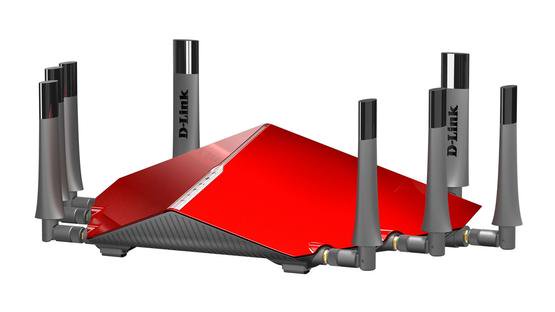
It"s safe to say that the DIR-895L is not the most elegant router we"ve ever seen. It"s as big and clunky as its long-winded name suggests - in fact, it looks more like the mothership from Independence Day than a mere Wi-Fi router. And with no less than eight separate antennae protruding from all sides it"ll take up a fair amount of space in your living room, too.
But if you"re a keen gamer, the DIR-895L could be the perfect Christmas present. It"s loaded with high-tech features that are designed to provide blistering fast speeds for online gaming, 4K video streaming and other demanding tasks.
The DIR-895L isn"t simply a dual-band router - it"s a tri-band router than can broadcast a Wi-Fi signal on the 2.4GHz band, as well as two signals via separate 5GHz bands, providing a total speed of 5332Mbps. The chunky antennae also supports MU-MIMO for transmitting the Wi-Fi signal to multiple devices simultaneously, so you can watch The Defenders in 4K on Netflix while the kids blast each other to bits on a games console, with nary a stutter to spoil all that on-screen ultra-violence.
It has a beamforming option too, called SmartBeam, that provides more reliable connections to an upstairs bedroom or other tricky spots that your current router might not be able to reach. And for wired connections there are four Gigabit Ethernet ports, along with both USB 2 and USB 3 for sharing printers and network storage devices.
Of course, those high-tech features come at a cost, and the DIR-895L will set you back a whopping £300 even if you shop around online. That price doesn"t include a modem, either, so you"ll need to hang on to the existing modem or router that provides your internet connection. But if you"ve got a high-tech household that needs the fastest possible Wi-Fi speeds for multiple devices then the DIR-895L will be hard to beat.
6. Apple AirPort Extreme
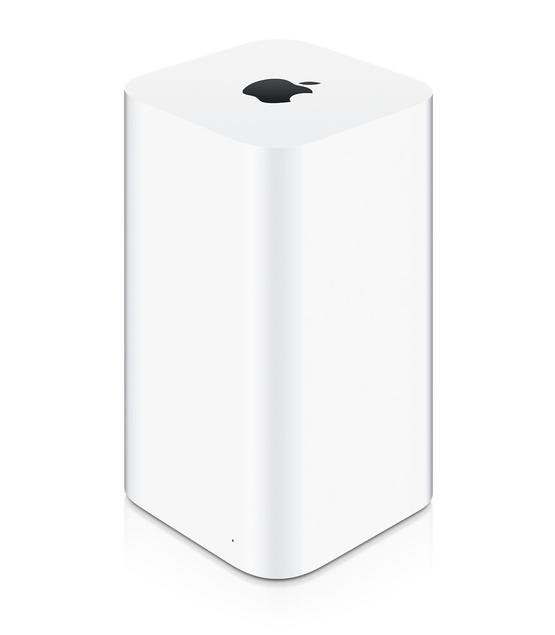
Apple"s Airport products haven"t been updated for years and, to be honest, they no longer justify the high prices that Apple is still charging. In fact, we wouldn"t be surprised if it updates the AirPort range in the next few months in order to keep up with devices, such as the new Apple TV 4K, that require really strong Wi-Fi performance (or, perhaps, if it simply drops the AirPort products altogether).
However, we have seen a number of refurbished AirPort products on the Apple Store recently that aren"t bad value - especially as they include the same one-year warranty as brand-new models.
The basic AirPort Extreme router provides dual-band 802.11ac Wi-Fi with a top speed of 1.3Gbps. That"s really not very fast when compared to newer routers, especially as Apple is still charging a hefty £199 for the router.
It doesn"t have the latest Wave 2 features, such as MU-MIMO, either - although, to be fair, the tall, upright design does hide six internal antennae, which use beamforming to provide good signal strength around your home. In fact, the main advantage of the AirPort range is that Apple builds the AirPort software into all Macs - with a separate app for iOS devices - which makes it really easy to set up and use for people who aren"t too familiar with routers and networking tech. Just remember that you"ll need to hang on to your existing modem or router that provides internet access.
That still doesn"t justify Apple"s pricing - but, as we mentioned, the refurb models on the Apple Store are a better option. A refurbished AirPort Extreme costs £145, which is still rather expensive. However, where stocks are available, you can get a refurb AirPort Time Capsule - which includes the AirPort Extreme router plus 3TB built-in hard drive for your Time Machine back-ups - for £249, which isn"t bad at all.