When you get internet for home or as a student, there’s always a cap on your internet usage limit. But when you’re online, you tend to get carried away and sometimes end up exhausting a whole month’s internet package within a couple of weeks.
There can be multiple reasons for that. For instance, some websites are heavier than the others. Similarly, there are some devices that are more bandwidth-hungry than others. Whatever the reason may be, in order to avoid reaching your internet limit too early, you should monitor your internet usage.
Here are 5 free programs for your Windows PC to help monitor your Internet usage. This is great for readers who are on a student budget, studying abroad on a limited mobile broadband plan. Let’s check the list.
1. NetBalancer
One of the powerful tools, NetBalancer, is a network traffic control and monitoring tool. Using the same, you can monitor the whole system including multiple network adapters and the processes as well as the system services. That means you can monitor LAN as well as Wi-Fi connections simultaneously – for both IPv4 and IPv6 protocols.
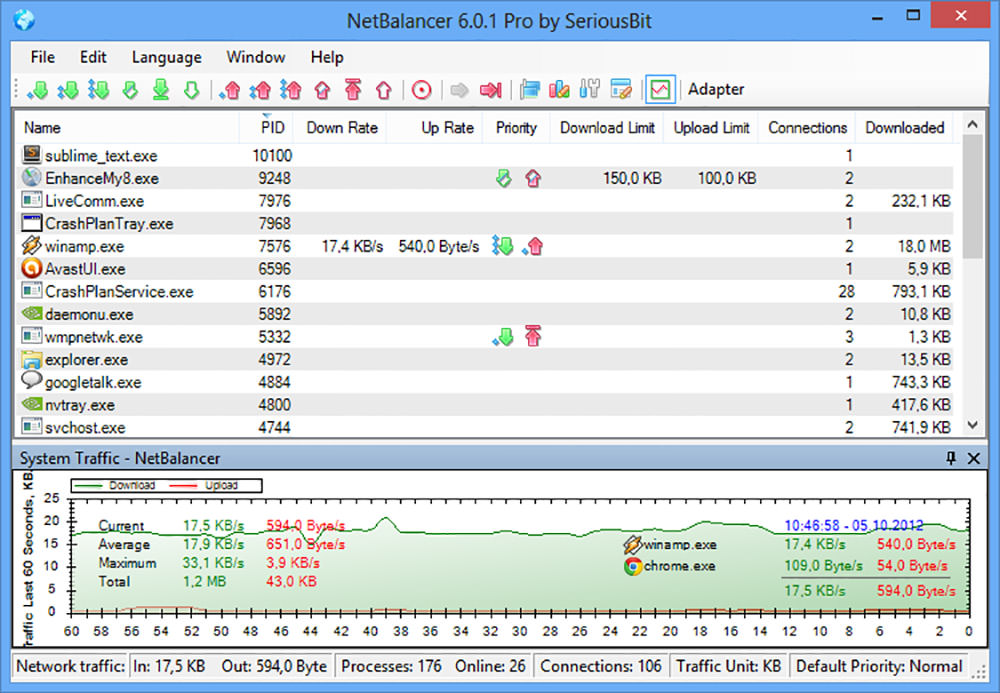
What interested me more is its feature to configure priorities and speed limits for processes (a premium feature, sadly). Nevertheless, you can set system-wide limits for traffic control, even using the unregistered version. Also, you can check network speed, current connections and detailed traffic analysis for all apps and services.
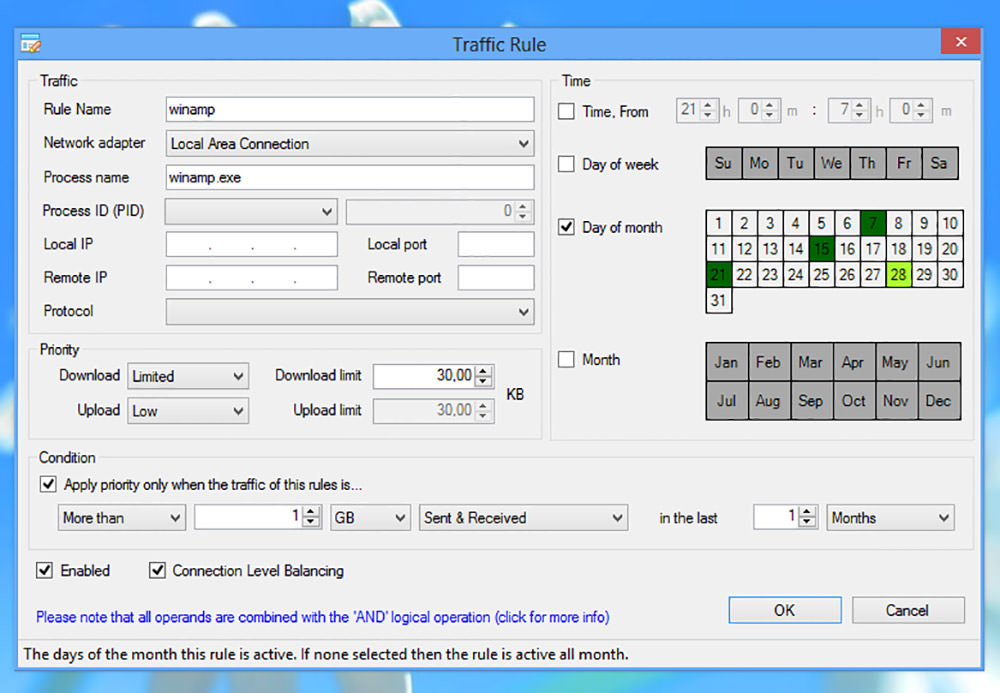
NetBalancer is built with ease and automation in mind – it can load traffic rules as well as priorities and limits from a network file. Another amazing feature is you can group local network computers and synchronize their network traffic configuration. Last but not the least, NetBalancer also shows speed graph in the tray icon and its mini-window.
2. Net Guard
Net Guard by Cucusoft is a freeware unlike NetBalancer but offers most of its awesome features. The tool includes powerful bandwidth monitoring and tracking features that help you keep a watch on system’s network bandwidth. Using the same, you can easily set global network limit and catch any program overusing the bandwidth.
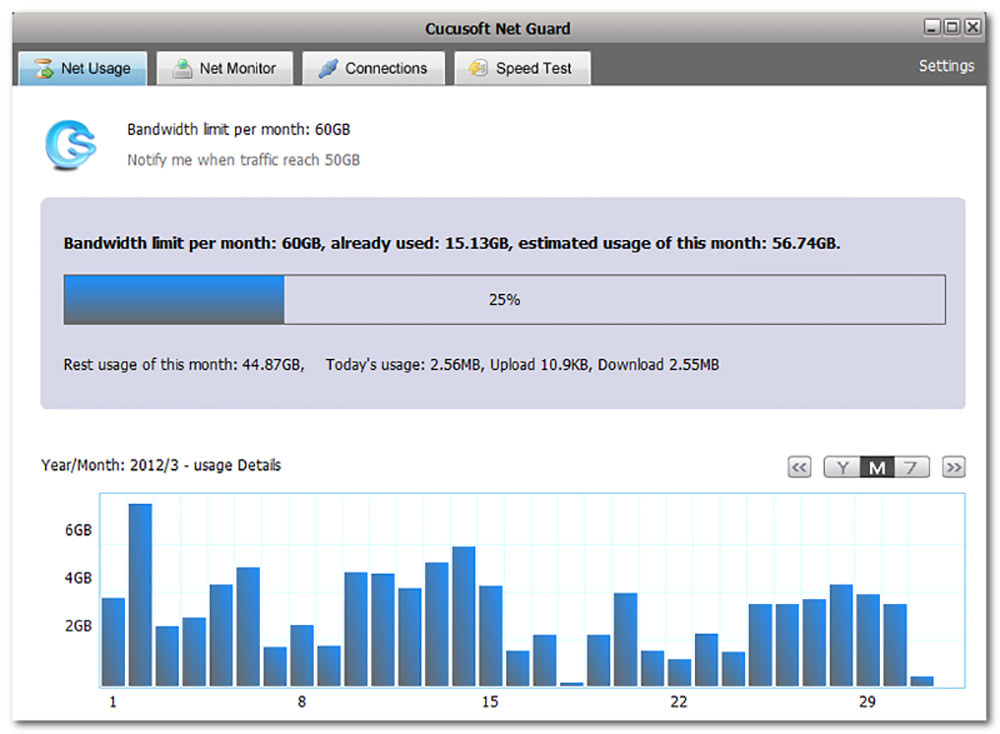
What I find interesting is its interactive bandwidth usage report, which uses graphs to help you understand the bandwidth use of each program and service. Moreover, it packs in more features like bandwidth usage prediction that forecasts the amount of bandwidth you need in a month. It also has speed test that calculates the network speed.
Another brilliant feature is over-limit notification feature, which notifies when your bandwidth is over and helps you avoid extra charges for overuse. Ultimately, like NetBalancer, it also includes a floating window that shows real-time network data usage.
3. Bandwidth Monitor
Bandwidth Monitor by Rokario is another free tool to monitors bandwidth usage for you. Though it is not as powerful as NetBalancer or NetGuard, it does offer a cool set of features for everyday users. It tracks your system’s network speed and bandwidth usage like above tools, but it does not track them up to the process or the service.
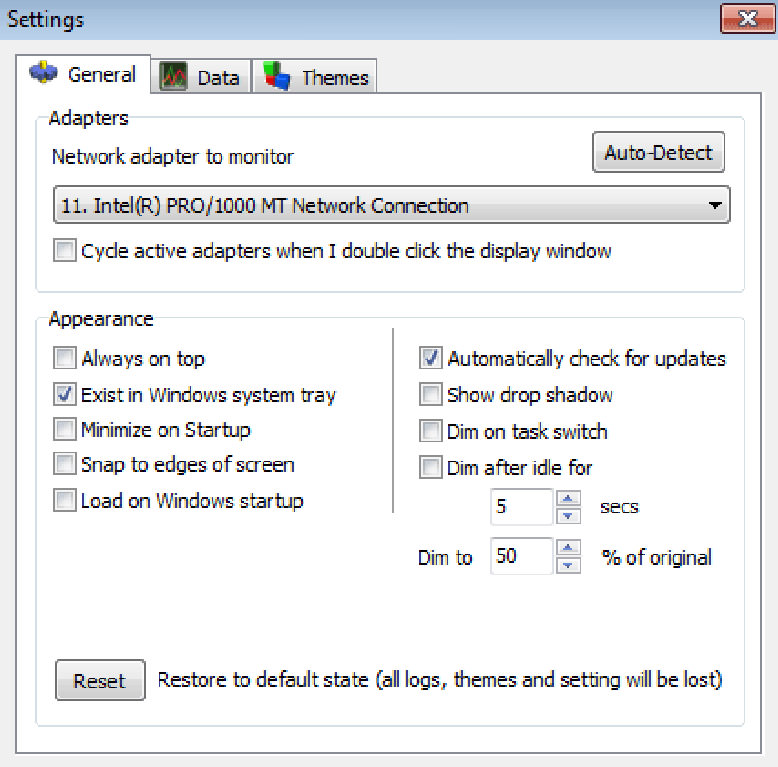
Bandwidth Monitor uses low resources, and tracks and logs bandwidth usage with support for multiple network adapters or connections. What caught my eyes is its themeable floating window, which packs in customization options to suit your needs. For example, you can include text, shapes, or graphs per your preference to see the network usage.
Another interesting feature is programmable notification feature that allows you to configure how you receive notifications. For example, you can ask to get a notification when the bandwidth usage is 90% of the total allowed usage. This feature along with enhanced log tools and web output tools comes only with its professional version, unfortunately.
4. NetTraffic
NetTraffic is the simplest tool in this list but not at all the least powerful. It features support for tracking bandwidth data on multiple network adapters or connections such as LAN and Wi-Fi connections. The tool, however, does not track the users or the apps and the services but just the generalized, system-wide bandwidth usage.
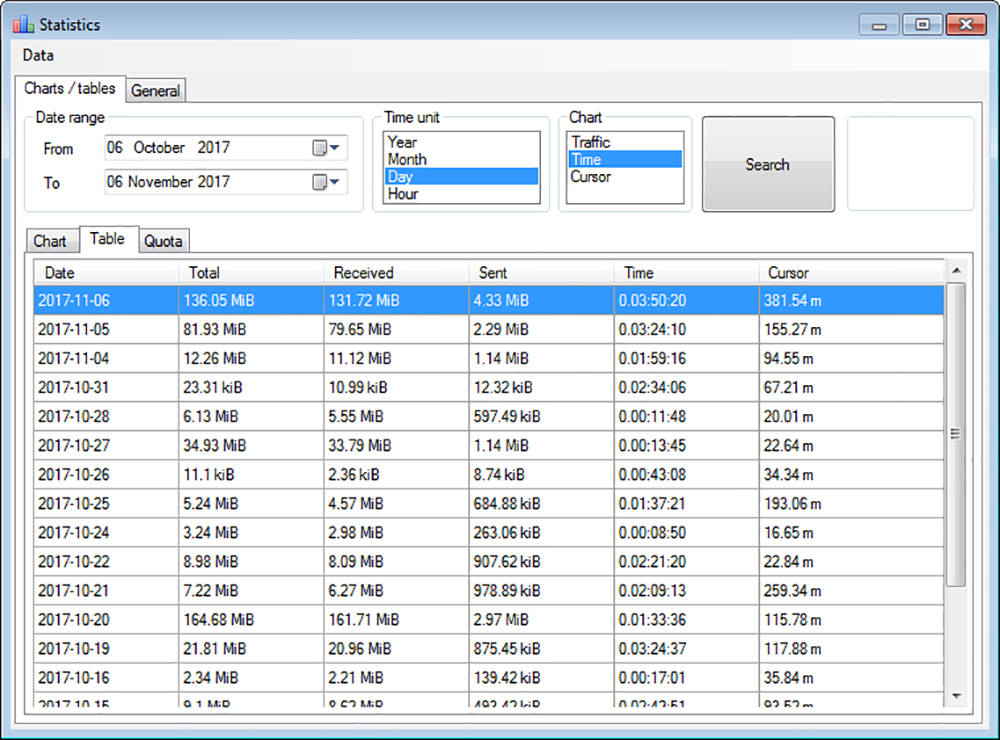
Its statistics window details bandwidth usage in a graphical style and shows the data usage for a day, a month or a whole year. The general tab in the same window details summarized usage, and interestingly, also forecasts the bandwidth quota you may use in a day, the month and the year.
NetTraffic is highly customizable, and you can adapt its real-time floating window to show the necessary details per your preference, much like Bandwidth Monitor. You can change colors, scale, chart type, and much more. Additionally, its icon in the notification area clarifies the network activity and also shows the current download and upload rate when hovered.
5. NetworkUsageView
NetworkUsageView, unlike above tools, is a network usage viewer rather than a full-fledged network monitor. Because Windows does not collect bandwidth usage data in old versions, this tool works only on Windows 8 and later releases. Nevertheless, it does show the necessary bandwidth usage info but does not offer floating window.
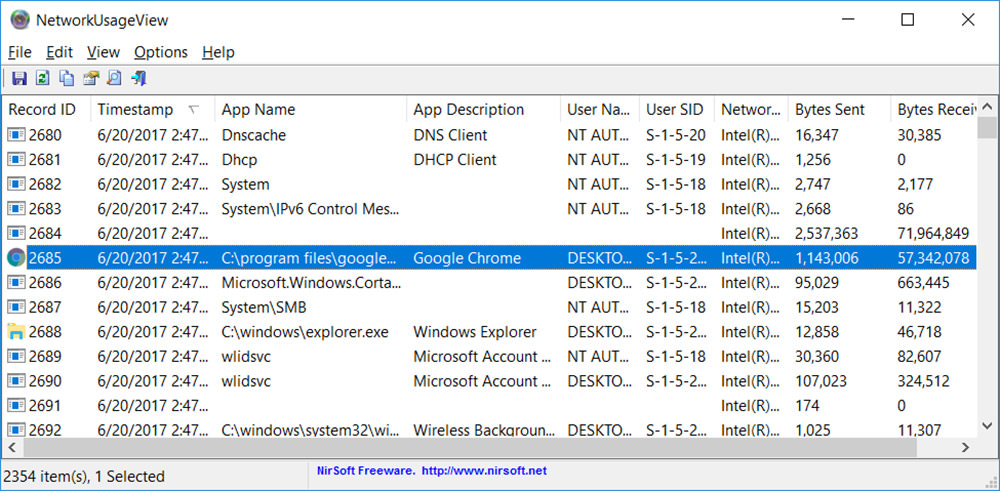
I find NetworkUsageView to be faster and less resource-hungry than the above tools (as it’s basically just a usage log viewer). Its amazing viewer window shows full information about bandwidth usage including the apps and the services. That being said, you can see every network usage activity and hunt down any malicious tool.
Interestingly, NetworkUsageView also shows the user and the network adapter for each record, helping you track users who are overusing the bandwidth quota in a multi-user environment, including the bandwidth usage of a remote computer. Moreover, the tool allows you to export the bandwidth usage data in a CSV file.