Showing posts with label Watch. Show all posts

Monday, 15 January 2018

Apple Watch Series 3 vs Apple Watch Series 2 Comparison Review

The recent inaugural event at the Steve Jobs Theatre saw Apple unveil the bulk of its product line-up for the year ahead. Among the new devices announced were the iPhone X, iPhone 8 and 8 Plus, the Apple TV 4K, plus a significant step forward for the Apple Watch.

In this article we look at how the newest version of Apple"s timepiece compares to its predecessor, and whether you should be looking to upgrade from the Apple Watch Series 2 to the Apple Watch Series 3.

Apple Watch 3 release date


The Apple Watch 3 was released on September 22. As usual a number of configurations are available, but the cheapest non-cellular models cost £329 (US $329) for the smaller 38mm version, and £359 ($359) for the 42mm.

If you want the LTE equipped models - and as that"s one of the biggest selling points of the Apple Watch 3 we"re guessing you might - then the starting prices are a little higher, with the 38mm costing £399 ($399) and the 42mm coming in at £429 ($429).

Order the Apple Watch Series 3 from Apple

apple watch 3 v apple watch 2

Apple has retired the Apple Watch 2 now, so buying one will require sourcing other retailers who are selling off older stock - at the time of writing, you can still pick one up from Argos in the UK.

The Series 1 has survived the cull, though, and at £249 ($249) for the 38mm and £279 ($279) for the 42mm, it seems a good deal for those who aren"t too fussed about GPS tracking.

Buy Apple Watch Series 1 from Apple

What"s new in the Apple Watch 3?


LTE capabilities


The most obvious advance offered by the latest model is that of LTE cellular compatibility on the GPS + Cellular variants. This is quite a big deal as it moves the watch closer to being a standalone device - but only in your home country, because they do not support roaming.

The Apple Watch 2 brought built-in GPS, allowing wearers to go for a run without their iPhone and still record the data. This would then be transferred to the iPhone once the two were reunited.

apple watch 3 v apple watch 2

The Apple Watch 3 takes this independence a step further by including a rather clever electronic SIM, which shares your iPhone"s number, so the device can connect to the internet over 3G or 4G signals.

The shared number also means you"ll be able to receive calls on the Apple Watch 3, as well as receive messages and notifications, all while in the swimming pool, gym, or anywhere that iPhones fear to tread.

Having internet access will enable you to stream songs from Apple Music on the new device, which can be played back on your Apple AirPod headphones, or other compatible Bluetooth headsets.

Of course, these features will involve data usage. The Apple Watch 3 will need to be on the same carrier as your iPhone, and at the moment EE is the only choice available in the UK.

You can buy an Apple Watch 3 directly from EE on a £25 per month contract including unlimited data, or if you buy from another retailer, such as Apple or John Lewis, you can add it to your existing EE plan. That will cost £5 per month for 10GB of data, though the first six months are free and included unlimited data.

Improved hardware


Internally the Apple Watch 3 has seen some significant hardware upgrades, with the new dual-core S3 processor being claimed to offer a 70 percent improvement in speed over the Apple Watch 2.

Wi-Fi and Bluetooth connectivity also received a boost, thanks to the introduction of the W2 wireless chip. Apple states this will improve Wi-Fi performance by around 85 percent, while halving the energy demands.

apple watch 3 v apple watch 2

A new barometric altimeter has also been included, which can sense when you"re going up and down stairs. This is great news for those who track their steps and have previously been short-changed for their efforts.

Finally, Siri can talk to you on the Apple Watch 3, as well as being accessible away from the companion iPhone.

Is it bigger than the Apple Watch 2?


With all these hardware advances, it would be reasonable to expect that the casing could also show signs of growth. But, in a feat of engineering that should be applauded, Apple has managed to keep the chassis almost exactly the same.

To achieve this the design team turned the screen itself into the LTE antenna. They really do have some clever people over in Cupertino.

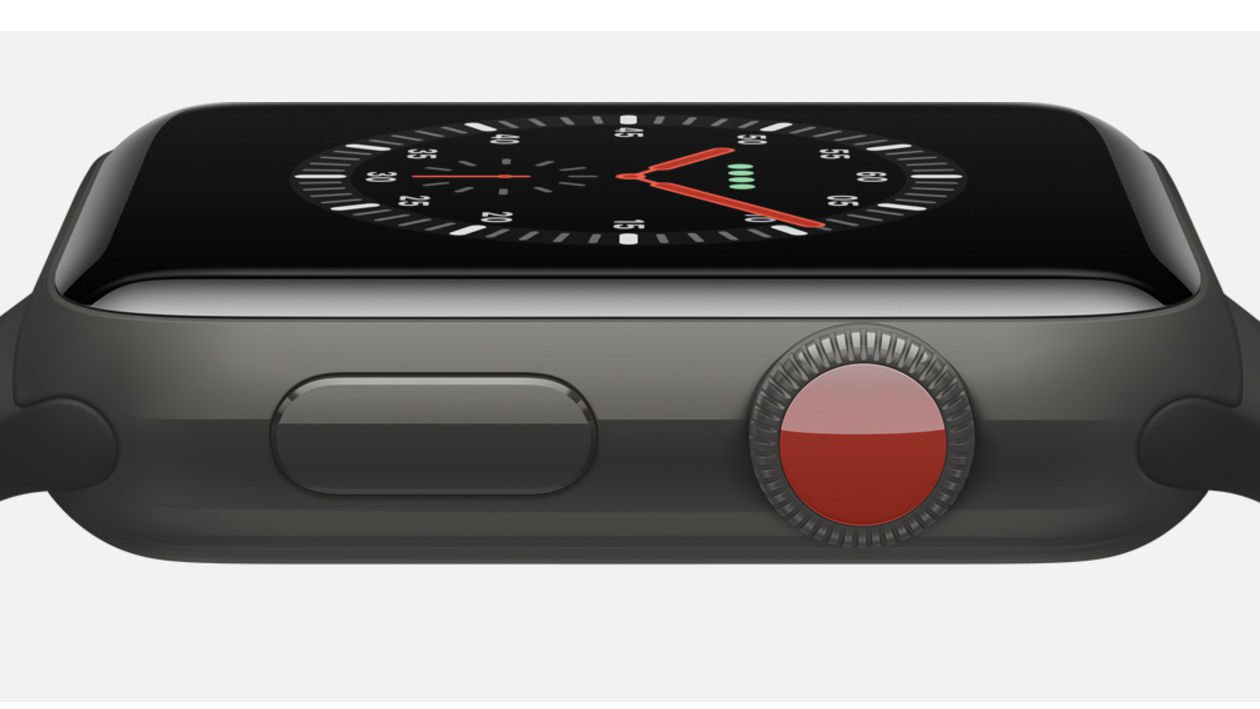
Apple did make one change to the casing, though, and that was to put a red dot at the end of the Crown on cellular models. As far as we can tell this is purely an aesthetic choice, but it does mean that people will be able to tell at a glance that you"re wearing the latest and greatest.

apple watch 3 v apple watch 2

Surely all of these extra features will drain the battery faster?


Again, a perfectly sensible and valid assumption. Therefore, it came as quite a surprise when Apple revealed that, thanks to the various energy efficiencies brought by the new chips, the Apple Watch 3 will return the same battery life as the Apple Watch 2.

Official figures are 18 hours when a mixture of Wi-Fi and LTE are used, the same as for the Apple Watch 2. However, in practice we found that the Series 2 was capable of running for much longer than that, and the Series 3 - at least using an LTE model - can"t quite hit the same heights, so there"s definitely a battery hit from opting for cellular at least.

Thursday, 11 January 2018

Apple Watch Series 3 review (LTE cellular model)

Welcome to our Apple Watch Series 3 review, in which we check out the watch"s design and new features, put it through rigorous performance and battery tests, and rate it for value for money. If you reach a decision after reading this, you can buy from Apple or (on contract) from EE. (And if you"d like to read about the next edition of the product, read our Apple Watch Series 4 rumour roundup.)

It still feels like we"re quite early in the Apple Watch"s evolution as a product - we"re still at the iPhone 3GS stage, so to speak - but there is a danger that the company has already run out of things to fix. The Apple Watch Series 2 was in our view pretty close to perfect, solving all the issues we had with the original model, so for the Series 3 a new approach has been taken: rethinking what a smartwatch can do, and creating a new life for it as an independent device.

Unlike the simple "find a problem and fix it" strategy of the Series 2, this has down- as well as upsides, and as we will discover in our Apple Watch Series 3 review this is not an uncomplicated step forward - even if it is probably a necessary step on the road to what the Apple Watch needs to become.

For more general advice remember to take a look at our Apple Watch buying guide.
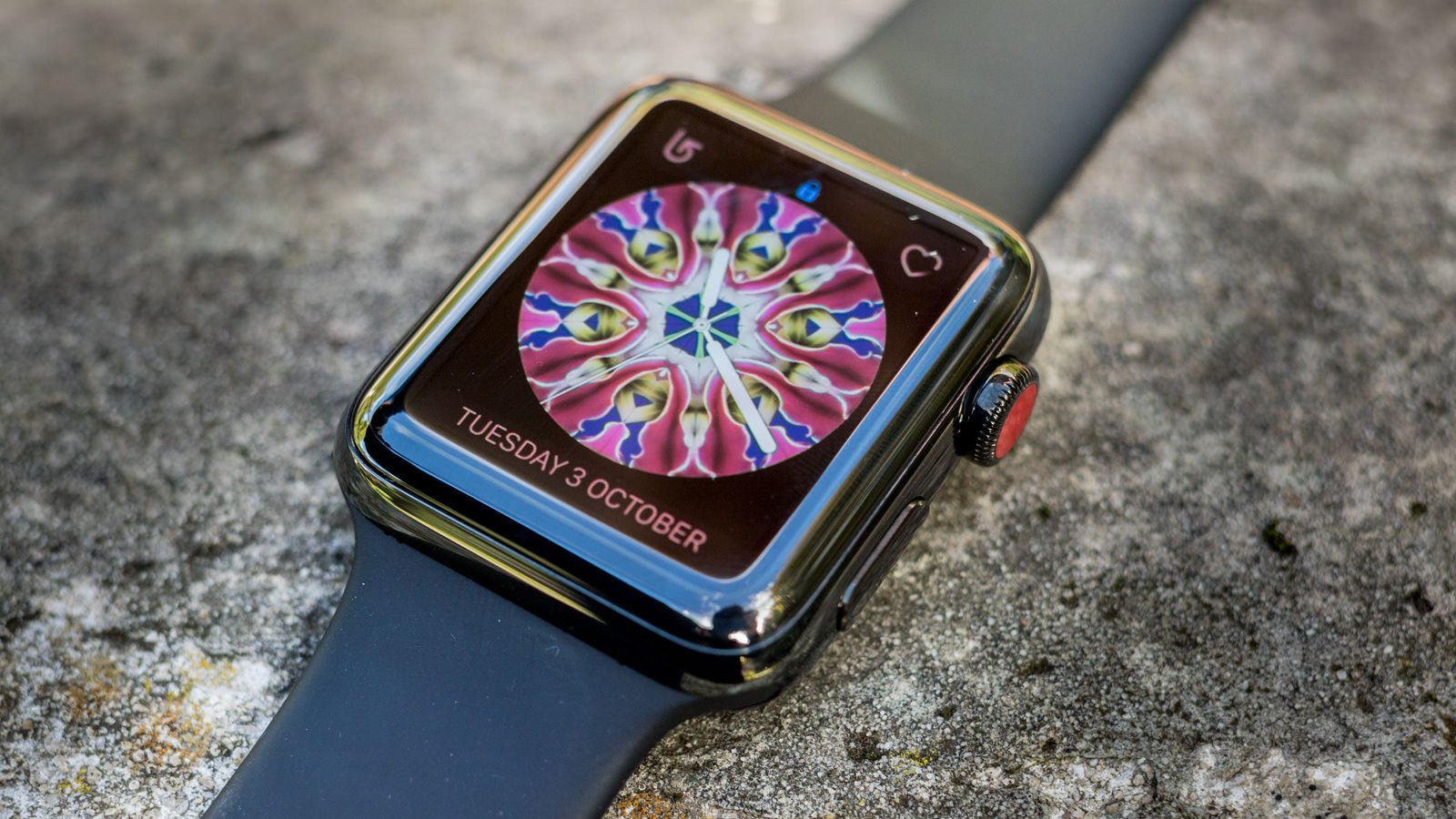
Apple Watch Series 3 review: Design

Design & build quality


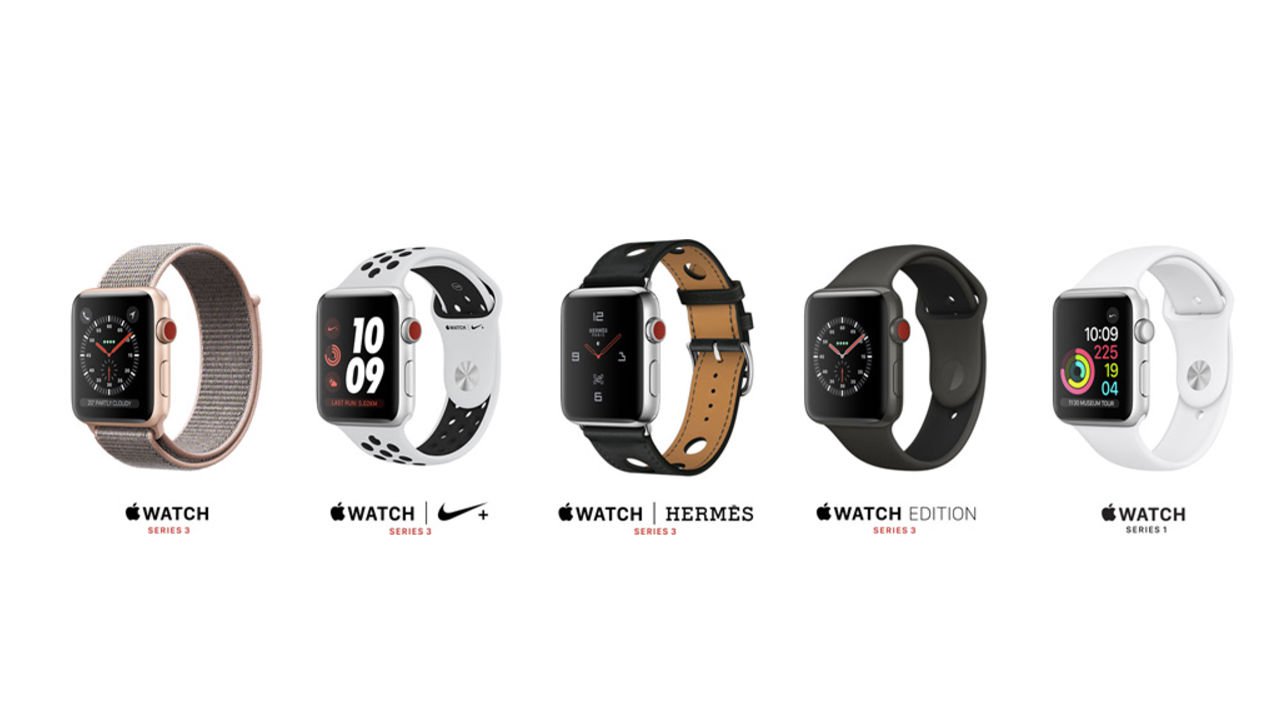
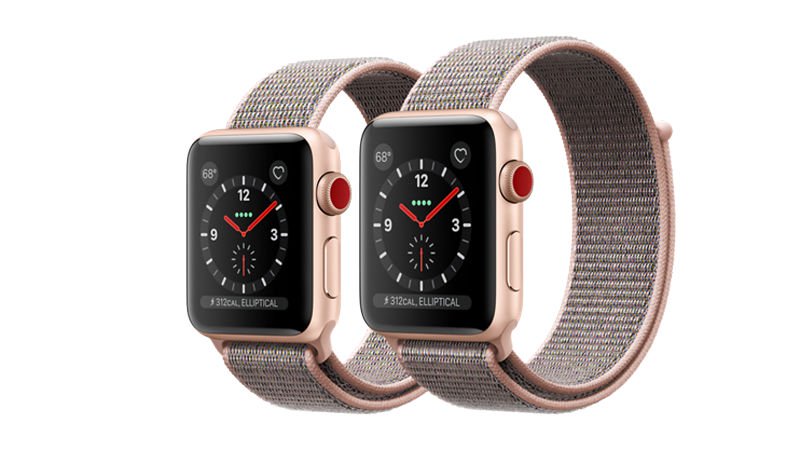
There"s not much to say here, because the Series 3 has the same body design as the Series 2, and the Series 1 before it. There are some new colours (gold aluminium and dark grey ceramic finishes are new for this generation) and strap options, but the shape, the lines, are identical to last year"s model.

It"s a nice design, mind you - clean, simple, premium-looking, based around Steve Jobs" beloved rounded-corner rectangle - and we wouldn"t wish for Apple to change things unnecessarily every year. But it feels like we"re in a similar situation to the iPhone handsets between the 6 generation and the 8 generation three years later: making small incremental changes to a design that remains fundamentally the same.

The one really visible and obvious difference between the Series 2 and Series 3 watches concerns the Digital Crown dial on the side, which now (if you"ve plumped for a cellular-connected model) is bright red. And we"re no longer entirely convinced by this.
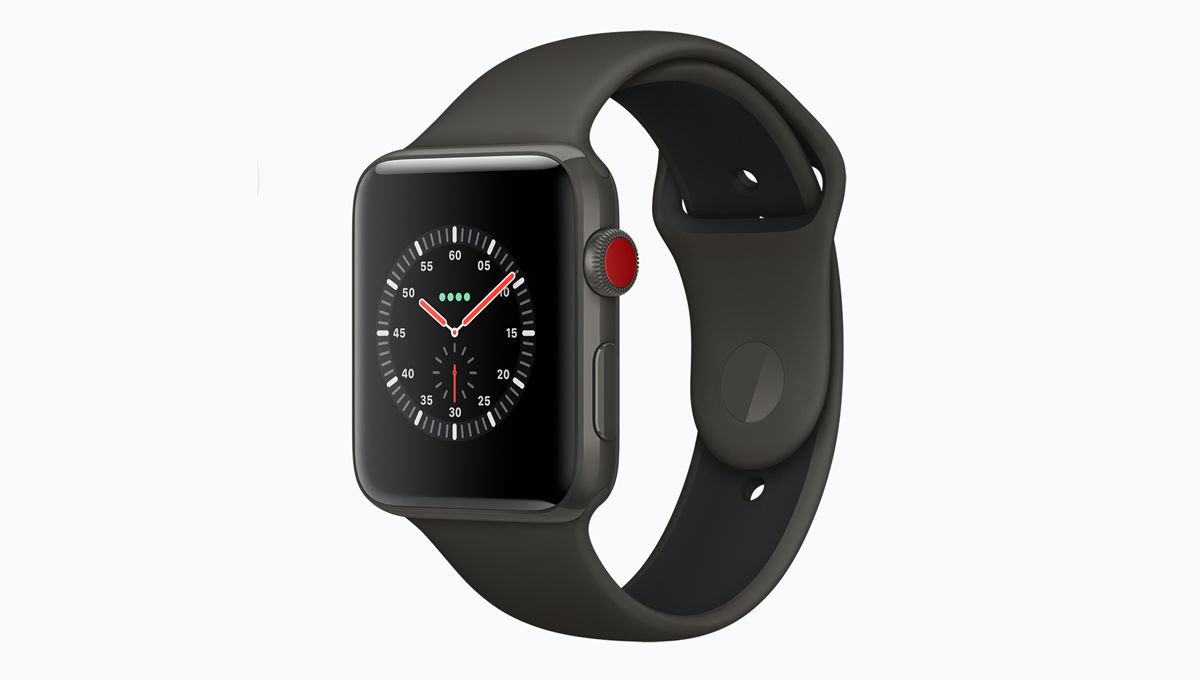
Apple Watch Series 3 review: Design

In photos, the red spot looks nice, and there"s something appealing about the way Apple ties this motif in with the accent colour on the packaging. But viewed up close, in person, it"s very bright, very shiny (incongruous next to the consistent brushed-metal finish around the Digital Crown) and, speaking brutally, a little bit cheap-looking. Not to mention that having a badge that proclaims to the world that you"ve bought the more expensive version of a product is unbelievably naff.

We said the design is identical to the Series 2, but it"s actually not quite. In the launch presentation, strangely, Apple said it was the same size despite the inclusion of cellular componentry and happily accepted a round of applause for this feat - but then admitted that it is actually (fractionally) thicker. Just 0.25mm, which needless to say is not noticeable.
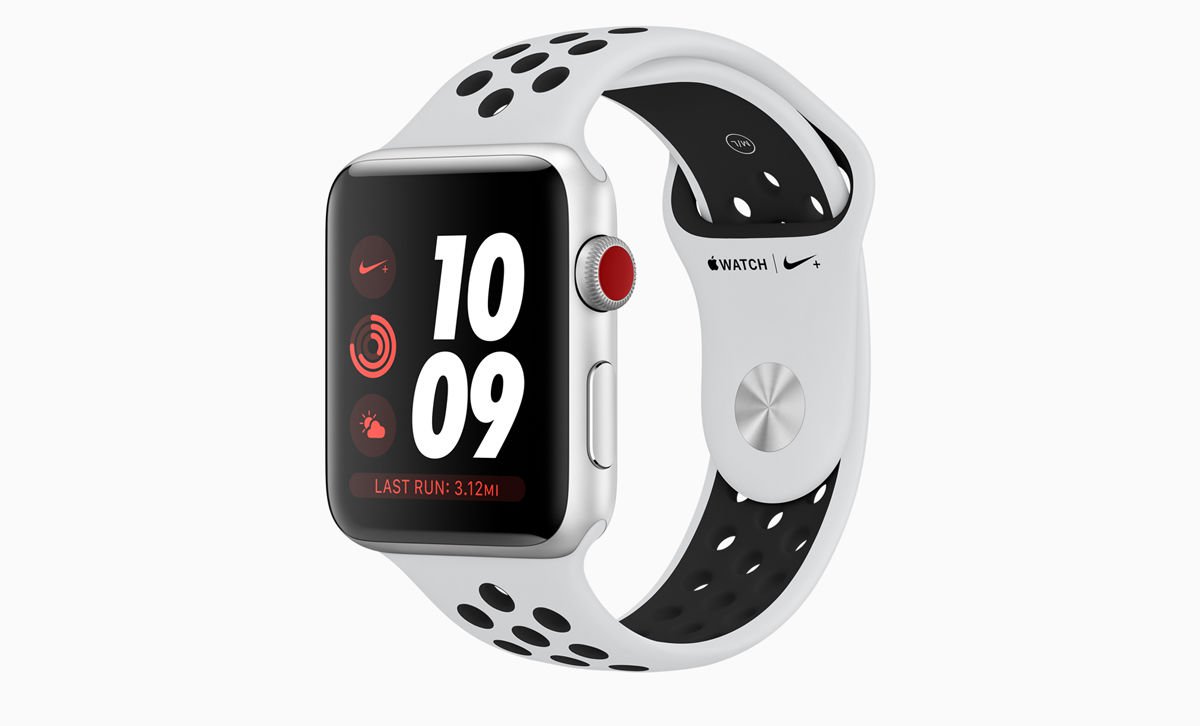
Apple Watch Series 3 review: Design

Straps


There are some really nice new straps to choose from. We"ve been enjoying the Sport Loop (the Flash colour option), which is ultra-light and breathable - although at £49 it must be one of the most expensive products in history to feature velcro.

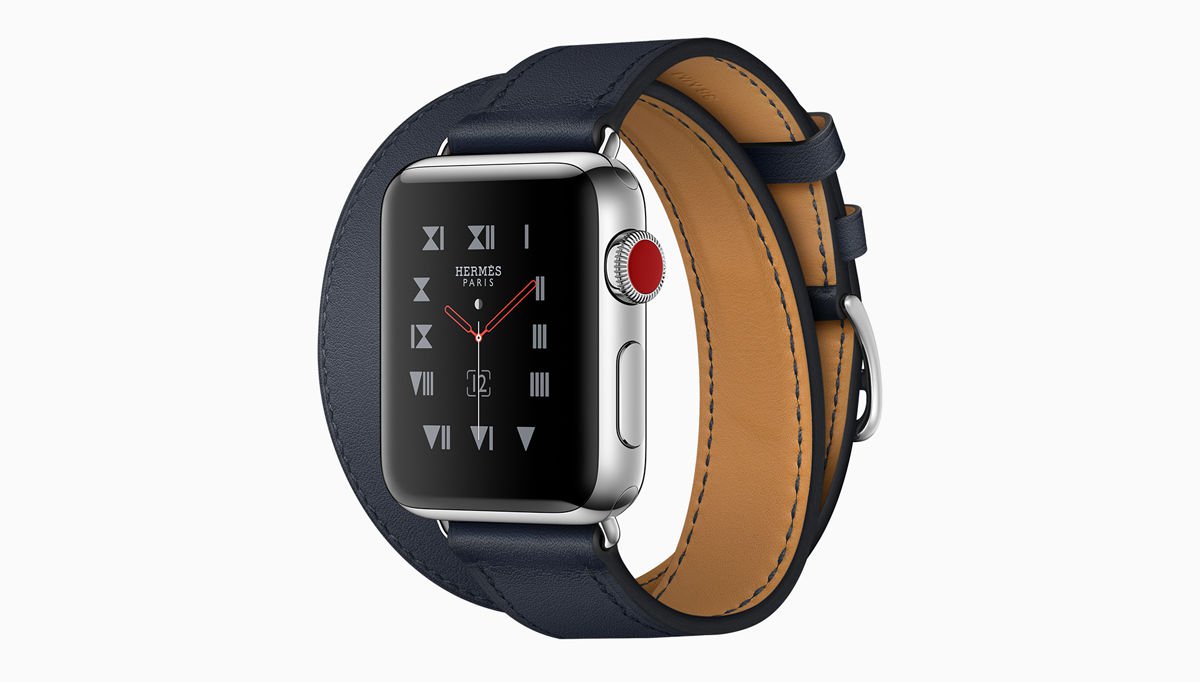
There are also attractive new colour versions of existing straps, such as Hermes" charming new Bordeaux leather straps, and a lovely red edition of the Sports Band.

Apple does itself proud when it comes to straps. We just wish they were a bit cheaper. In a separate article we round up the best Apple Watch straps, including some less expensive third-party alternatives.

Cellular connectivity


For the Series 3 we talked about three new features: longer battery life, better waterproofing, and GPS. This year there"s one, but it"s arguably a bigger deal than all of those put together: cellular connectivity. You can get a data connection on your watch even if you leave the companion iPhone at home: it"s a truly independent device for the first time.

(The Series 2 also had a faster processor, and this component has been upgraded again here. More on this in the specs and performance sections.)

The cellular Series 3 has a built-in LTE and UMTS radio that switches automatically to cellular when you"re away from the companion iPhone. The system is clever enough to know to direct calls to your watch instead of your phone when appropriate (the phone number will be the same across both devices), and to use the watch"s location for Find My Friends.

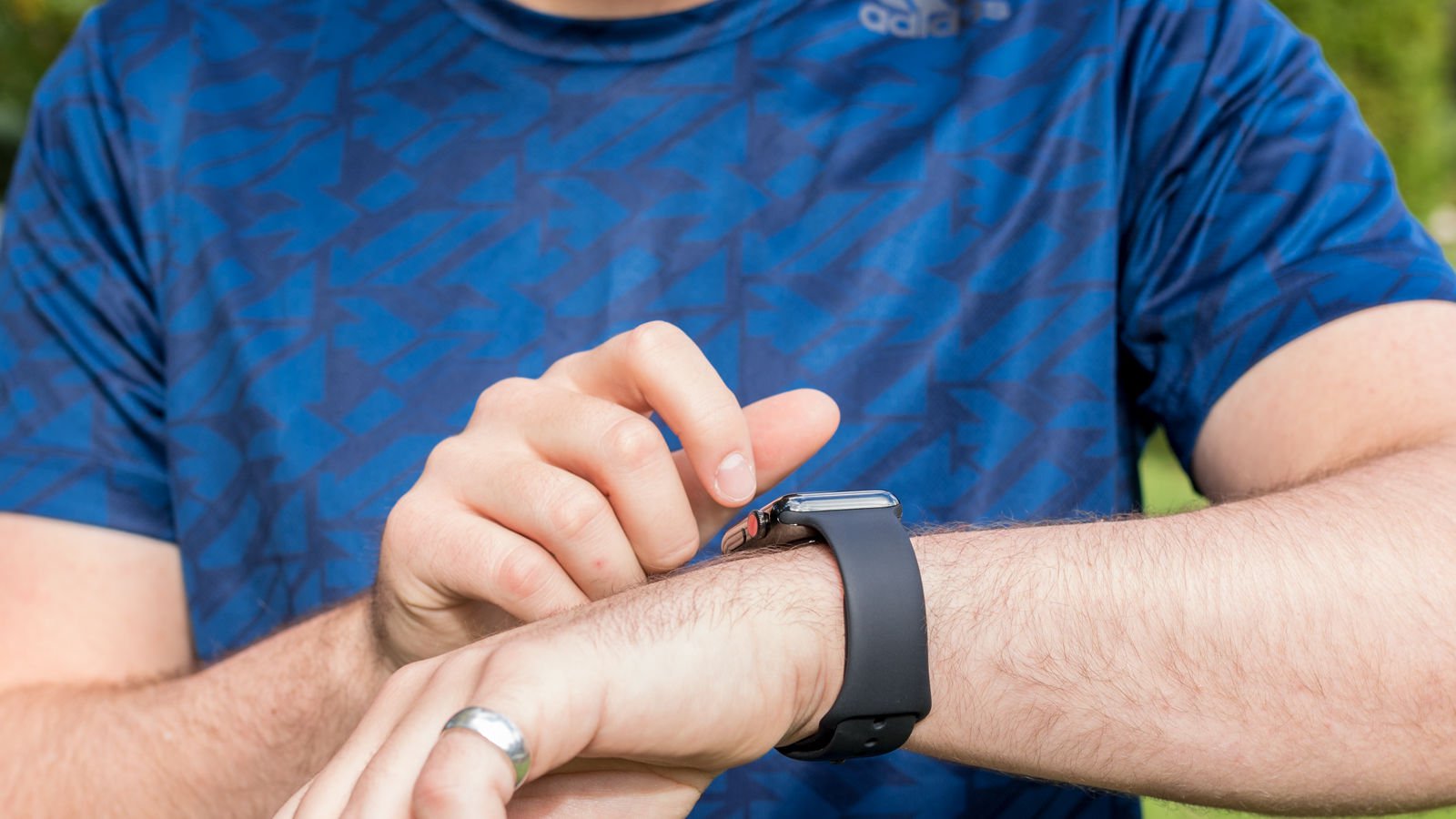
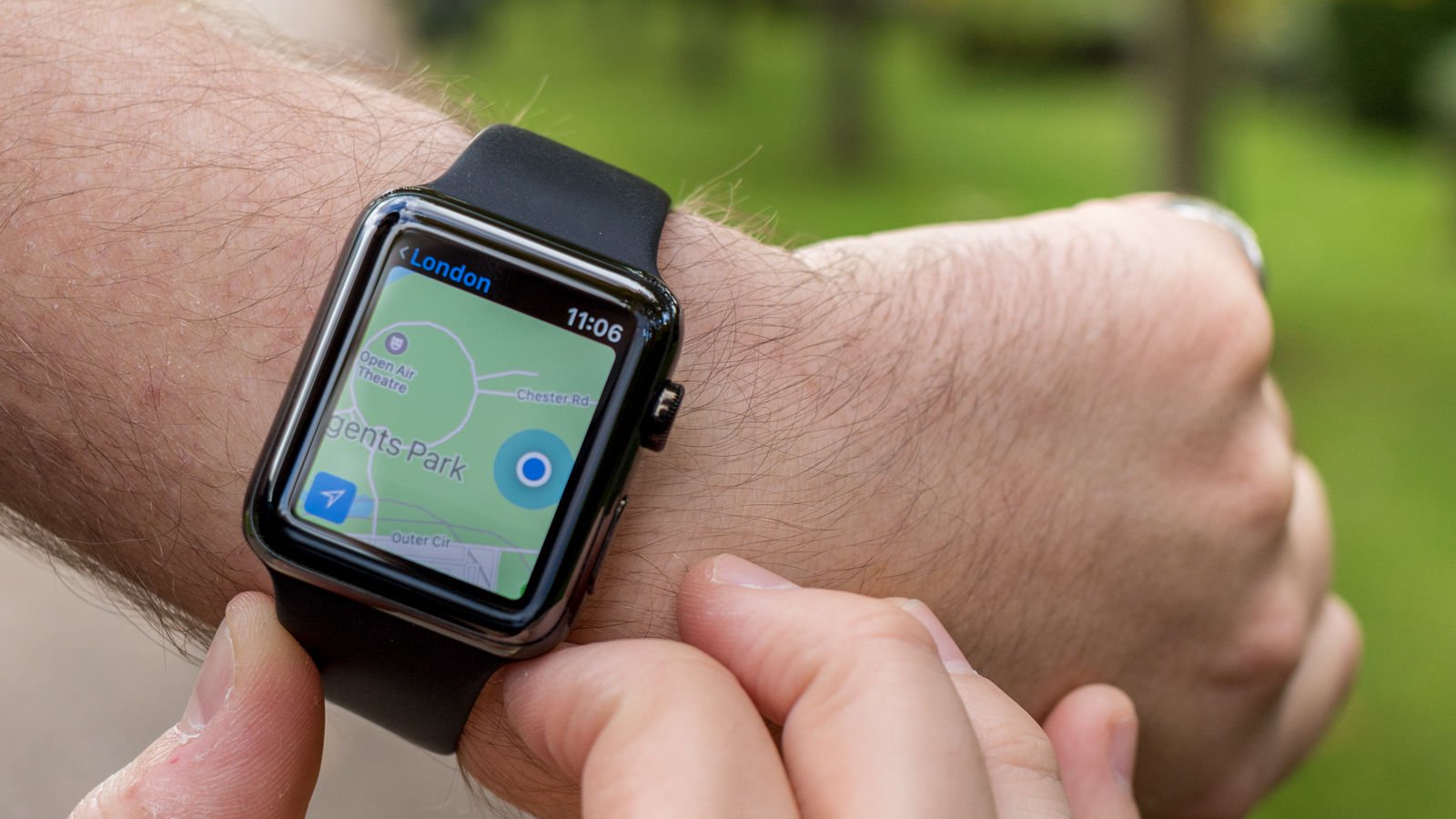
Apple has also highlighted the fact that you can use iMessage, Maps, WeChat and Siri away from your phone, and users" new ability to stream music via a phone-less watch using Apple Music. (Note, however, that you cannot send SMS texts without a nearby connected iPhone - you are limited to iMessages.)

It"s tempting to assume that any watch app that relies internet data will now be usable away from your phone: that the ECB app your reviewer uses to get cricket scores will now update independently, for instance. And in time we"re sure this will be true. But not all apps are designed to work independently, and there may be a delay while developers update their apps to take advantage of the new hardware.
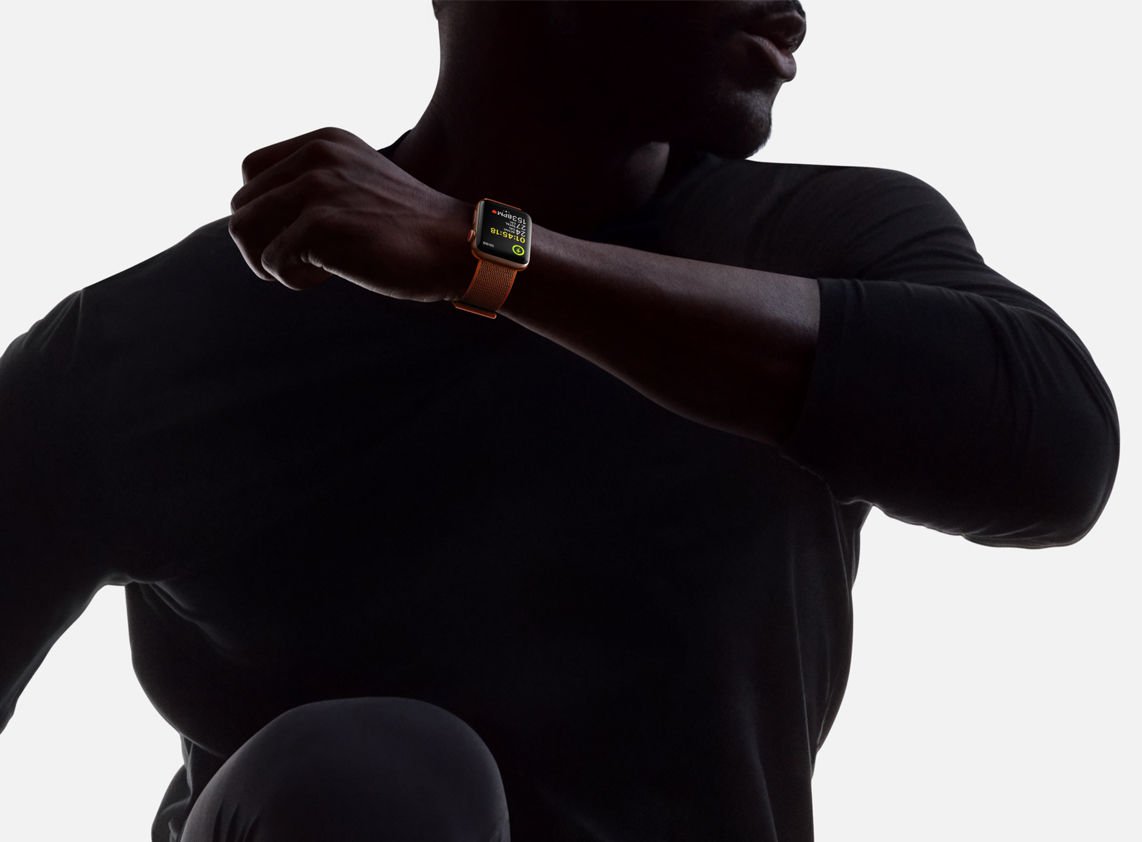
Apple Watch Series 3 review: Cellular connectivity

Is cellular a good idea?


Cellular has downsides - battery life, cost, the hassle of setting up a contract - so it"s all a question of payoffs. It"s roughly the same decision as choosing the cellular option for your iPad. You have to think about how often you"ll use it, how important it is that you"ll be able to do so, and how much it will cost you.

The Apple Watch"s cellular capabilities come into play when you separate it from its companion iPhone; and since they"re two highly portable, on-person devices, that probably won"t happen a great deal. The main application is when running: if you urgently need to keep in touch while working out, this may be perfect for you.

It also lets you stream Apple Music, although bear in mind that you can already load songs on to the watch for offline playback: how long is your run, that you"re going to get bored of your own tunes? (Some might argue that, if Apple made it easier to sync music to the Apple Watch in the first place this application wouldn"t seem as exciting...)

Ultimately the decision is yours, but we suspect that for many people cellular will be an extravagance that doesn"t make sense in the short term. In the long term, however, for the product line, this is undoubtedly the right direction to go: like the wireless syncing/updating in iOS 5, the importance of which was probably underestimated at the time, this lays the foundations of independence - of cutting the cord from the parent device.
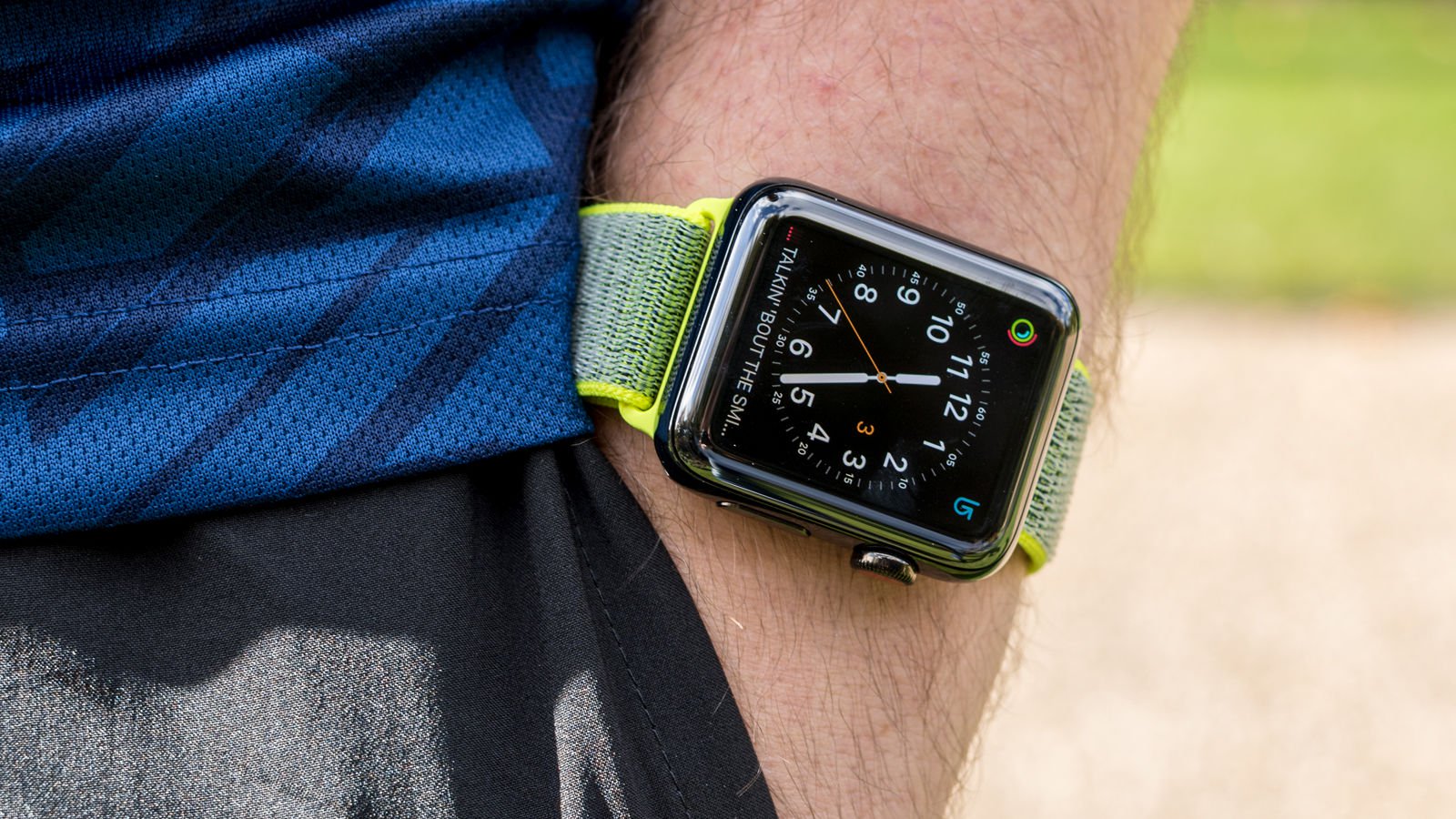
Apple Watch Series 3 review: Cellular

Do you need a SIM and a contract?


Practically speaking, you"ll want to know about the SIM and the antenna. Well, there"s no physical SIM - it"s an electronic SIM or eSIM that"s one percent of the size of a traditional SIM - and the display acts as the antenna, both the transmitting and receiving element.

To use cellular features on the Series 3 you need to sign up with one of the small number of providers who are able to offer watch plans in each launch country. In the UK that means EE - which, according to the company, is "the only network with the technology in place to offer Apple Watch Series 3 Cellular capability in the UK".

(You will also need to be using an iPhone 6, iPhone 6 Plus, iPhone SE or later handset.)

Do note, however, that the Apple Watch 3 with LTE will not support roaming, so any additional functionality afforded by the E-SIM will not be available when you take it abroad.

You can buy the watch from EE on a 24-month unlimited-data contract, which will set you back £25 a month plus an upfront charge of anything from zero to £160, depending on which model you want. Alternatively, you can buy the watch from somewhere else (such as Apple), paying £329 or more for the device up front, and then add it to the EE plan your phone is on; this will add an extra £5 tariff per month, with the first six months free.
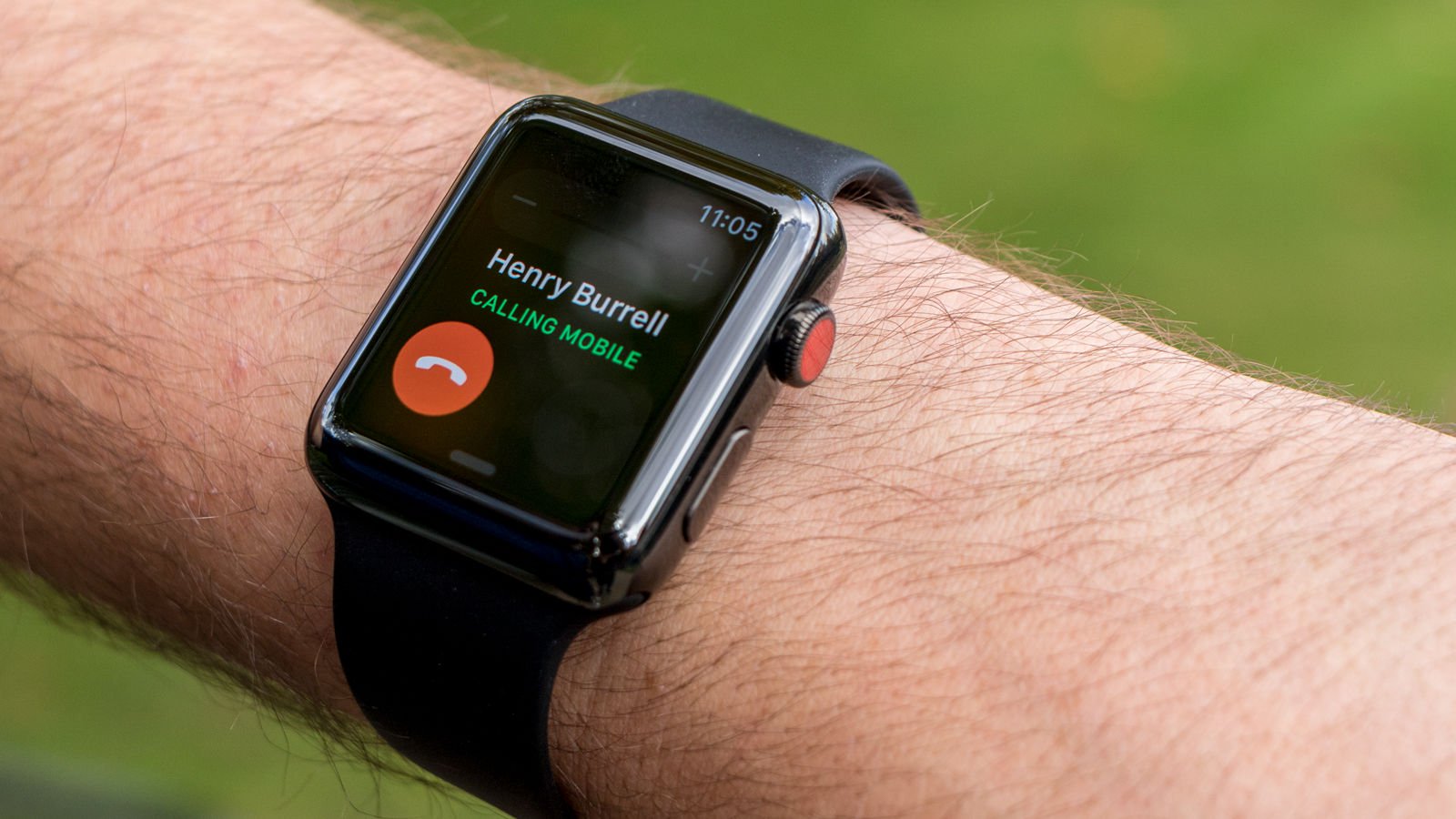
Apple Watch Series 3 review: SIM & contract

Battery life


The principal predicted downside of adding cellular connectivity to the Apple Watch is battery life, so we"re going to give this its own section instead of just tucking it into the specs section. Bear in mind, however, that battery performance is highly subjective and heavily dependent on what you do with your watch during a given day, so we can give only a general sense of how the Series 3 compares to the Series 2 and original watches before it.

The Series 2 (when new) started a day of "typical use testing" charged to 100%, and made it through the whole day, then a night, and then a second day, without running out of power. At bedtime on the second day it was on 22%. It eventually ran out around 1pm on the third day.

The Series 3 couldn"t do quite as well, but it did manage very nearly two days, running out around 10pm on the second day. These figures are not scientific, and the night times distort things a bit, but they are broadly representative of our experience with these products:
  • Series 2: 54 hours (includes two nights, light typical use)

  • Series 3: 39 hours (includes one night)


(We"ve not included the original Apple Watch in the above figures because it was so wildly variable in the early days while we were still working out how to use it, but it"s worse than either the Series 2 or 3. On occasion, in the beginning when we used apps constantly, it ran out of battery before the end of the first day. After a while it settled down to a comfortable one-day battery life, finishing each day with power to spare but struggling if you missed a night of charging.)
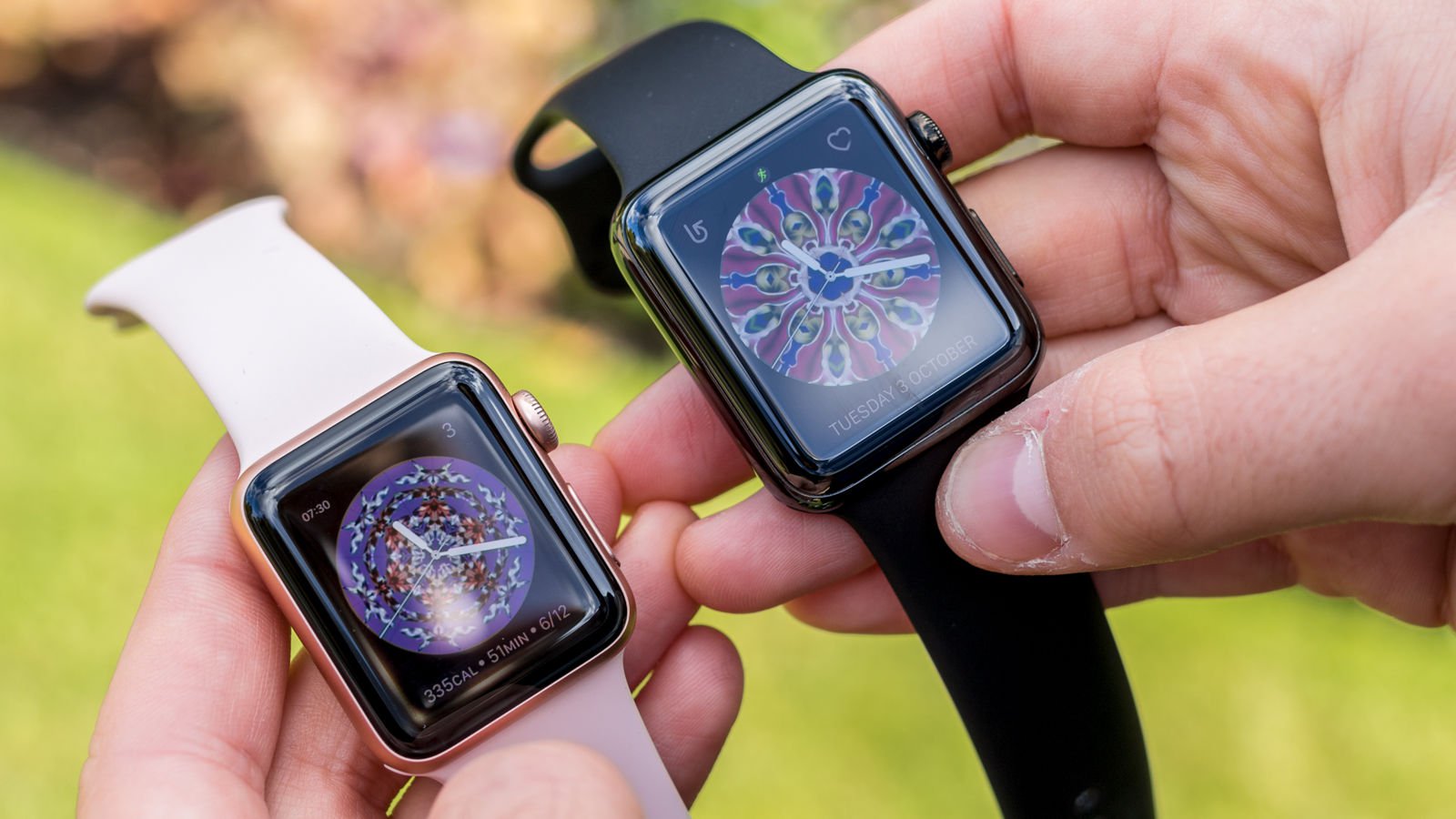
Apple Watch Series 3 review: Battery life

Effects of cellular use


It was fairly clear that cellular use dragged down the Series 3"s battery performance. Early in the test, while kept within reach of its companion iPhone, it looked on course to match the Series 2, but taking it out for a 30-minute run - using the Workout app and depending on its own cellular connection to pick up iMessages and check email during a mid-run break - caused an alarming drain from mid-40s to high 20s.

On another occasion we kept the Series 3 away from its iPhone for a morning, and in five hours it dropped 32 percentage points (55% to 23%); as a control, the Series 2 fell just 19% (from 38% to 19%) in the same period.

This pattern didn"t always hold, and our experience suggests that searching for a connection in a weak-signal area makes matters worse, and of course app usage affects things - when you"re using cellular there"s a disproportionate chance you"ll be using the (relatively demanding, continuous-use) Workout app, which compounds matters.
Apple Watch Series 3 review: Water resistance

Speed & performance


The Series 3 comes with updated innards: the new S3 processor chip, which is claimed to be 70 percent faster than the S2 chip in the Series 2, and the new W2 wireless chip which Apple reckons provide 85 percent faster Wi-Fi, and 50 percent more power-efficient Wi-Fi and Bluetooth, than the last-generation model.

It"s difficult to quantify these things, given that there aren"t any speed benchmarking apps available for the Apple Watch. But in subjective tests we"ve observed that our Series 3 opens apps consistently faster than our (admittedly year-old, and watchOS 4-based) Series 2.

It"s a matter of seconds in most cases - although the Series 2 has developed a habit of hanging when opening Photos - and shouldn"t make much difference to your day-to-day experience. But it"s representative of the difference between the two devices" capabilities, and likely to become more noticeable in future versions of watchOS.

We"ve also noticed that the Series 3 consistently gets notifications a second or two ahead of the Series 2.

Siri


Siri can now be used away from your iPhone, but that"s not all that"s changed for the Series 3 update. It can now speak to you, out loud, for the first time on an Apple Watch; and because of the updated processor which we"ll discuss in the next section, Siri should work faster, too.
Apple Watch Series 3 review: Specs

Tech specs


Apple has updated the internals in a number of useful ways, which we"ll discuss next.

Processor


This is now the S3 chip. It"s a dual-core processor, much like the S2 in the Series 2, but Apple says it"s 70 percent faster. As discussed above this led to apps opening slightly quicker, and should produce smoother graphics.

Wireless chip


The new W2 wireless chip is said to provide 85 percent faster Wi-Fi, and 50 percent more power-efficient Wi-Fi and Bluetooth.

Storage


The cellular-equipped version of the Apple Watch Series 3 has 16GB of storage, while the GPS-only model offers 8GB. The Series 2 was capped at 8GB.

Altimeter


The Series 3 is the first Apple Watch to get a barometric altimeter, which means it can detect changes in height and thereby include steps climbed, elevation gained and similar data in workout reports.

On a related note the watch also has an accelerometer and gyroscope, but those have been included since the original model.

Dimensions


The Series 3 is 0.25mm thicker than the Series 2. Other than that it has the same dimensions, which in the case of the aluminium and steel editions means 38.6mm x 33.3mm (38mm model), or 42.5mm x 36.4mm (42mm model), and 39.2mm x 34mm or 42.6mm x 36.5mm for the ceramic.
Apple Watch Series 3 review: Specs

Display


From now on the specs are the same as the last generation, but we include them here for completeness. The display on the Series 3 has a resolution of 272 x 340 (38mm model) or 312 x 390 (42mm), a pixel density of 326ppi, and a brightness of 1,000 nits. These specs are identical to the Series 2, and mostly identical to the first-gen model, which only had a dimmer screen (450 nits).

Battery


Battery life is a claimed 18 hours, or "all day". The Series 2 (which was also advertised as having 18-hour battery life) was actually capable of lasting for two and a half days; the Series 3 isn"t quite up to that mark but is good for the best part of two.

Water resistance


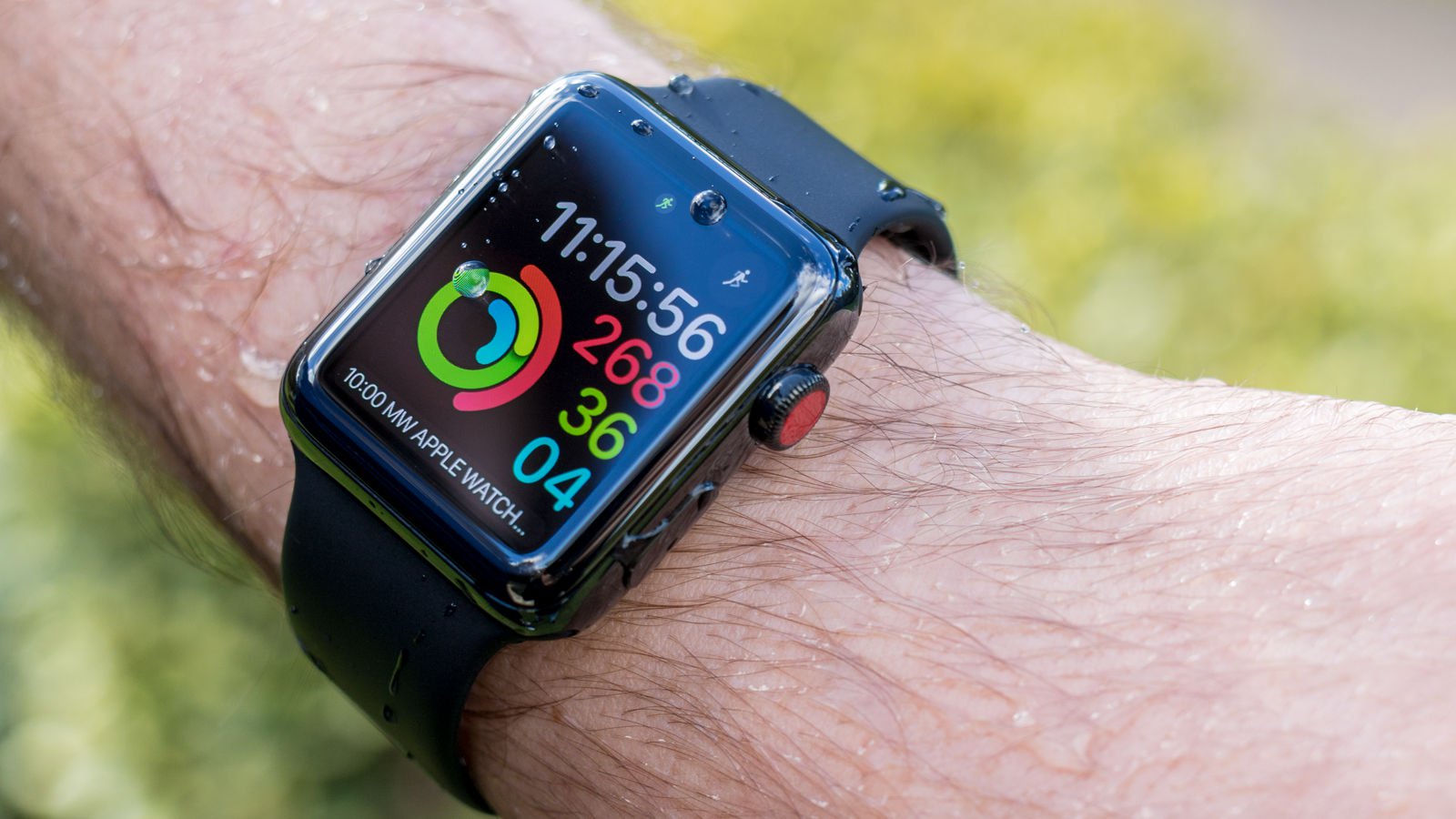
Like its predecessor the Apple Watch Series 3 is rated as water-resistant to 50 metres under ISO standard 22810:2010.

Connectivity


Other than cellular, you get Wi-Fi (802.11b/g/n 2.4GHz) and Bluetooth 4.2.

Release date


The Apple Watch Series 3 was announced on 12 Sept; preorders began on 15 Sept; and they started to ship (and appeared in shops) on 22 Sept.

The Apple Watch Series 3 launches initially in the US, Canada, Australia, China, Japan, the UK, Germany, France and Puerto Rico. Other countries will follow in 2018.

If you"re in the UK you"ll need to be on an EE Pay Monthly or SIM-only plan to use the Series 3"s cellular capabilities, and using an iPhone 6 or later; you can browse the contract options here.
Apple Watch Series 3 review: Price

UK price


The Apple Watch Series 3 starts at £329 in the UK (for the GPS-only models) or £399 (if you want cellular capabilities). This is a straight one-for-one translation from the US prices, which start at $329 and $399 respectively.

Price varies widely based on the case material and strap you go for, although less widely than in the old days - there are no £13,000 gold models here. Cost ranges from £329 all the way up to £1,399, which is the price of two particularly extravagant Hermès offerings.

Here"s the full range. Remember that you can browse all the options and buy on Apple"s website.


CaseStrap38mm, GPS42mm, GPS38mm, cellular42mm, cellular
Silver AluminiumFog Sport Band£329£359£399£429
Gold AluminiumPink Sand Sport Band£329£359£399£429
Space Grey AluminiumGrey Sport Band£329£359£399£429
Space Grey AluminiumBlack Sport Band£329£359£399£429
Silver AluminiumSeashell Sport Loopn/an/a£399£429
Gold AluminiumPink Sand Sport Loopn/an/a£399£429
Space Grey AluminiumDark Olive Sport Loopn/an/a£399£429
Stainless SteelSoft White Sport Bandn/an/a£599£649
Space Black Stainless SteelBlack Sport Bandn/an/a£599£649
Stainless SteelMilanese Loopn/an/a£699£749
Space Black Stainless SteelSpace Black Milanese Loopn/an/a£749£799
Silver AluminiumPure Platinum/Black Nike Sport Band£329£359£399£429
Space Grey AluminiumAnthracite/Black Nike Sport Band£329£359£399£429
Silver AluminiumBright Crimson/Black Nike Sport Loopn/an/a£399£429
Space Grey AluminiumBlack/Pure Platinum Nike Sport Loopn/an/a£399£429
Stainless SteelHermès Noir Gala Leather Rallyen/an/an/a£1,299
Stainless SteelHermès Marine Gala Éperon d"Orn/an/a£1,199£1,249
Stainless SteelHermès Indigo Swift Double Tourn/an/a£1,299n/a
Stainless SteelHermès Fauve Barenia Double Tourn/an/a£1,299n/a
Stainless SteelHermès Indigo Swiftn/an/an/a£1,199
Stainless SteelHermès Fauve Barenian/an/a£1,149£1,199
Stainless SteelHermès Ébène Barenia Deployment Bucklen/an/an/a£1,399
Stainless SteelHermès Fauve Barenia Deployment Bucklen/an/an/a£1,399
White CeramicSoft White/Pebble Sport Bandn/an/a£1,299£1,349
Grey CeramicGrey/Black Sport Bandn/an/a£1,299£1,349

Sunday, 7 January 2018

How to get every Apple Watch Activity achievement badge & challenge

Among its many functions, the Apple Watch is a terrific fitness tracker and motivational tool for getting in shape or losing weight. One of the ways the watch motivates you, and something that is symptomatic of the gamified world we live in, is its system of achievements and badges: digital rosettes that pop up on the screen when you do something praiseworthy, and then hang around on your iPhone"s Activity app so you can show them off to friends. (Some badges even come with iMessage stickers.)

There are standard badges that can be earned at any time by burning a particular number of calories, working out for a certain amount of time and so on; and there are one-off challenges that have to be achieved on (usually) a single day. The latest challenge to be announced is for New Year 2018, however, and this lasts throughout January.

This article is for the hardcore: those of us who won"t be satisfied until we"ve earned each and every one of the available achievement badges for Activity on the Apple Watch. We list the badges, and we explain how to get them.

How to get every Apple Watch Activity achievement badge

Reasons why badges are not being awarded


Before we move on to the individual badges, a few words on troubleshooting.

You may find that you satisfy the conditions for an achievement but discover that the badge has not appeared in your Achievements page. There are a number of possible reasons for this, some of them specific to each badge, but here are some general steps worth trying:
  • Wait a few days - occasionally there"s a lag before the award shows up.

  • Is it possible that you"ve earned the achievement but just not been notified? Check the Achievements page (open the Activity app on your iPhone and tap Achievements along the bottom) and see if the badge is there. You can choose to be notified of achievements by opening the Watch app on your iPhone, scrolling down and tapping Activity, then tapping the slider next to Achievements so it turns green.

  • Check you"ve got Bluetooth and Wi-Fi enabled.

  • Check your watch is connected to your iPhone.

  • Restart your Apple Watch.

  • Restart your iPhone.

  • As a last resort, unpair and then re-pair the two devices. This is moderately drastic, as it will wipe everything from the watch. Make sure you"ve backed up first.

Standard achievement badges


On to the individual badges. We"ll start with the standard badges that can be acquired at any time.

Most of these will be shown in the Achievements page (open the Activity app on the iPhone associated with your Apple Watch, then tap Achievements at the bottom of the screen) even before you earn them; tap one to see the requirements you need to satisfy in order to get it. But some will only appear when you earn them.

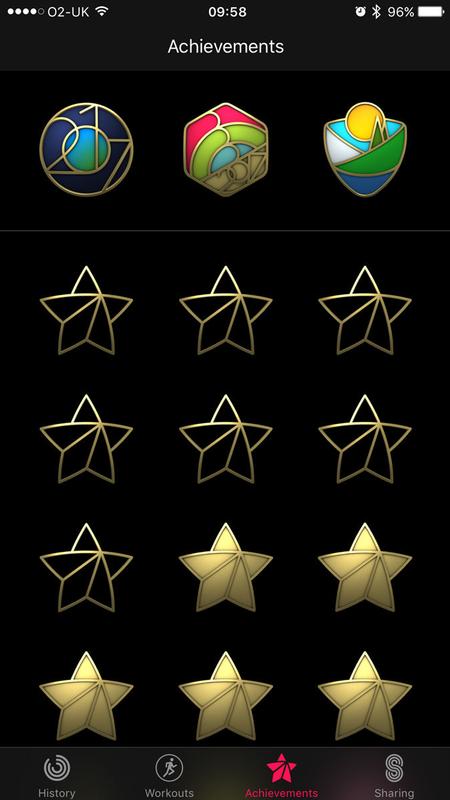
First [X] Workout


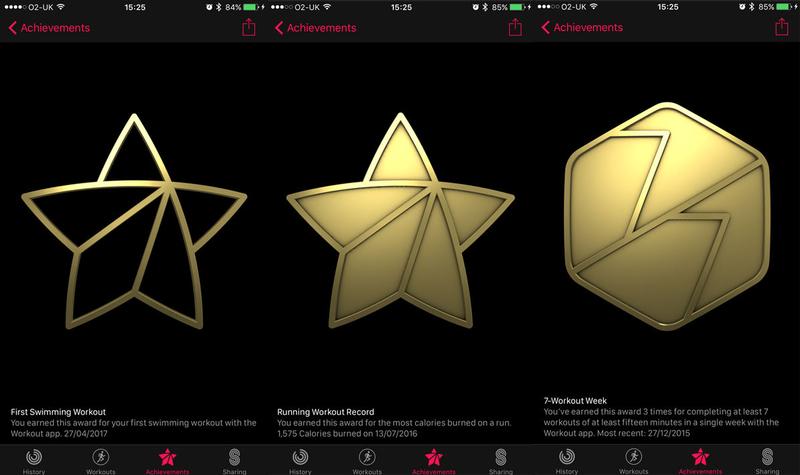
One of the easiest badges to earn. The first time you do each type of workout in the Apple Watch Workout app, you"ll get a badge: a gold outline of a star. For most types the workout will need to last at least five minutes to trigger the achievement.

We"ve got seven so far: cycling, elliptical, rowing, running, stair-stepper, swimming and walking. We believe there"s also one for wheelchair workouts (these will only be available in the Workout app if you open the Watch app on your iPhone, then go to My Watch > Health > Edit and set Wheelchair to Yes) and Apple may add further workouts in the future, as it did with swimming when it launched the Apple Watch Series 2.

The two types of swimming, running, cycling and so on are each grouped together as a single achievement, so you don"t get two separate badges by doing an indoor and an outdoor run, for instance.

How to get every Apple Watch Activity achievement badge

[X] Workout Record


Slightly more advanced, and somewhat confusingly worded. For each First [X] Workout badge described above there is a corresponding badge (this time a filled-in gold star) for beating your all-time "calories burned" record for that workout type - but there are some complications.

First of all, you need to have done at least five workouts of that type. If the fifth workout, or any subsequent workout, burns more calories than every previous workout of that type, you"ll get the badge.

The canny badge hunter will therefore ensure that the first four workouts of each type are not too strenuous, so that they can be easily beaten in future.

(If you"re struggling to get these badges, you could try workouts that have a calorie-based goal and are at least 15 minutes long, as some users report that these help. If you"re desperate then by all means try these strategies, but we can confirm that it"s possible to get at least some of these badges using shorter-duration and open workouts.)

7-Workout Week


You need to do at least seven workouts in a single week, each of them at least 15 minutes long. If you"re struggling to achieve this, remember to include your walks.

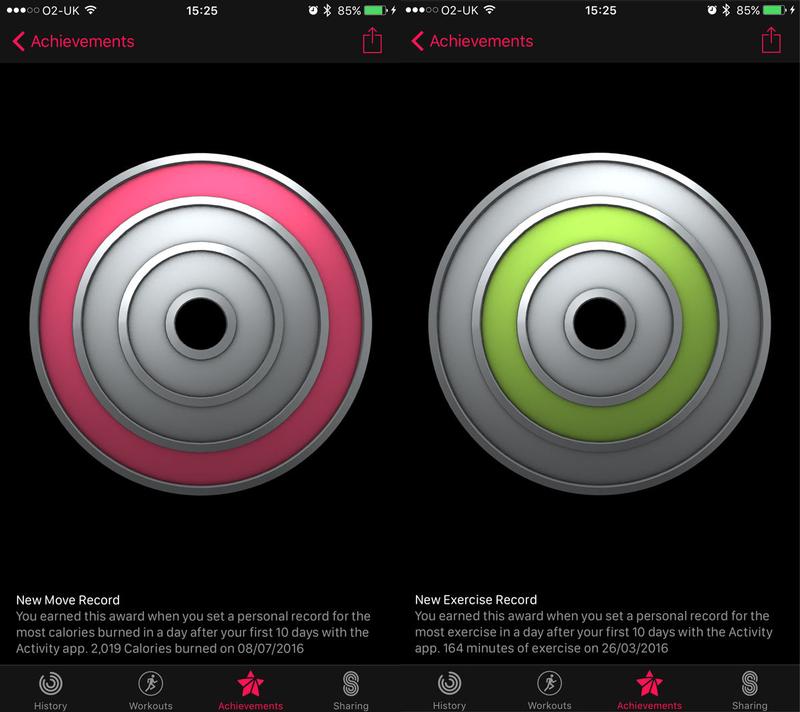
New Move Record


Awarded each time you beat your all-time record for calories burned (the red Move ring in the Activity app) in a single day.

Like the [X] Workout Record badge, it needs to be "primed", in this case by using the Apple Watch for 10 days; after this point, any day"s activity that beats all previous calorie records will earn this achievement.

How to get every Apple Watch Activity achievement badge: New Move Record & New Exercise Record

New Exercise Record


As above, but for the green Exercise ring - it"s awarded each time you beat your all-time record for minutes of exercise in a single day.

Again, it can only be awarded after you"ve been using the watch for 10 days.

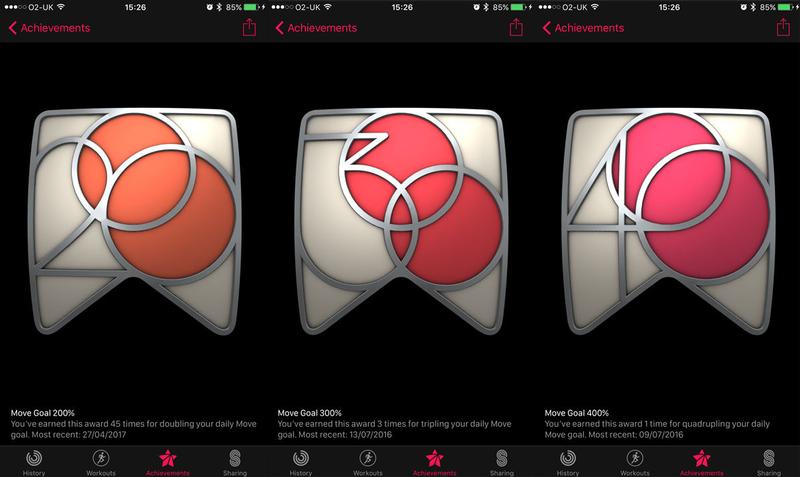
Move Goal 200%


Whatever daily calorie target you"ve set for the red Move ring, this badge will be awarded if you manage to double it.

Clearly, unscrupulous badge hunters can pick this up easily by setting the Move goal very low (open the Activity app on your watch and do a hard press, then tap "Change Move Goal"), but you"re only cheating yourself. Instead, why not go for a lovely long run?

How to get every Apple Watch Activity achievement badge: Move Goal

Move Goal 300%


As above, but you need to triple your daily Move target.

Move Goal 400%


As above, but you need to quadruple your daily Move target.

If your Move goal is at all realistic, this one will be really hard to get. We managed it eventually by going for a 25km run, and even then had to do some jogging on the spot in the evening to get the last few calories. Not easy!

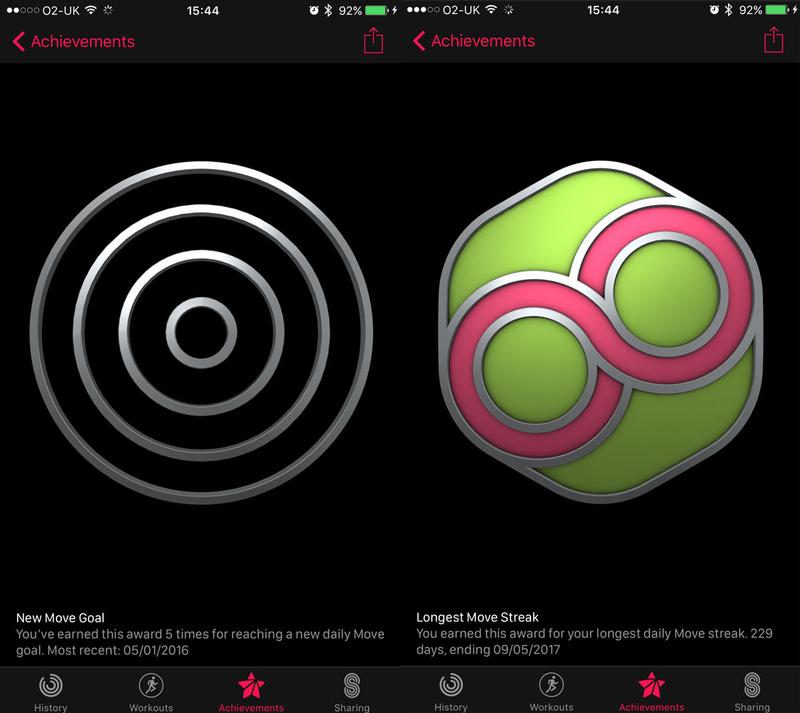
New Move Goal


When you first set up your Apple Watch you choose what Move goal to aim for each day. To get this badge, you just need to hit that goal once.

You"ll get the badge again each time you change the Move goal and then hit the new target. If you have weekly summaries activated, the Activity app will suggest a new target each Monday, based on how well you did the previous week. Alternatively, you can open the Activity app on your watch and do a hard press, then tap "Change Move Goal".

How to get every Apple Watch Activity achievement badge: New Move Goal

Longest Move Streak


Hit your Move goal several days in a row and you"ll start building a streak. This badge will be awarded each time you beat your previous Move streak record.

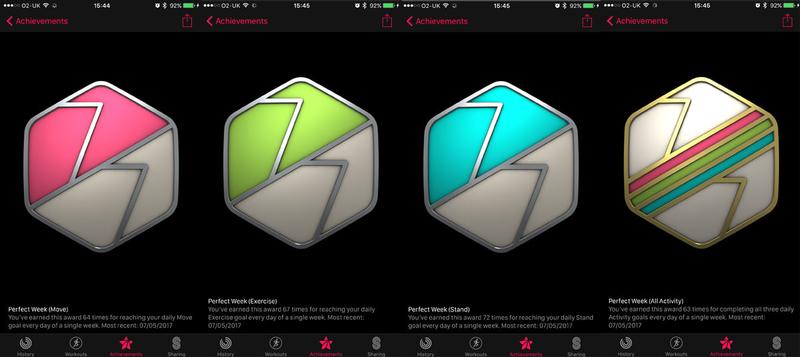
Perfect Week (Move)


Hit the Move calories target every day of a week, Monday to Sunday.

How to get every Apple Watch Activity achievement badge: Perfect Week

Perfect Week (Exercise)


Hit the Exercise target every day of a week, Monday to Sunday.

Perfect Week (Stand)


Hit the Stand target every day of a week, Monday to Sunday.

Perfect Week (All Activity)


Hit all three targets (Move, Exercise and Stand) every day of a week, Monday to Sunday.

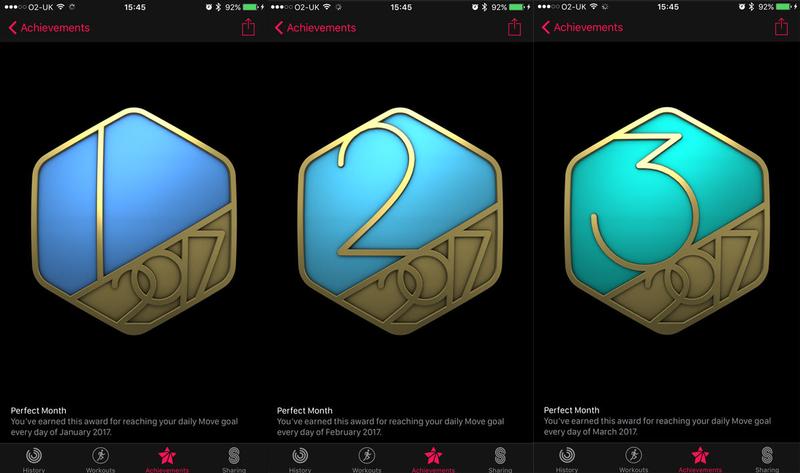
Perfect Month


Hit the Move calories target every day of a calendar month. (There"s no monthly badge for the Exercise and Stand targets.)

Unlike the Perfect Week achievements, which simply stack - I"ve got only one badge for Perfect Week (Stand), for instance, but if I tap on it I see it"s been awarded 72 times - there are separate badges for each Perfect Month, with each month a different colour.

How to get every Apple Watch Activity achievement badge: Perfect Month

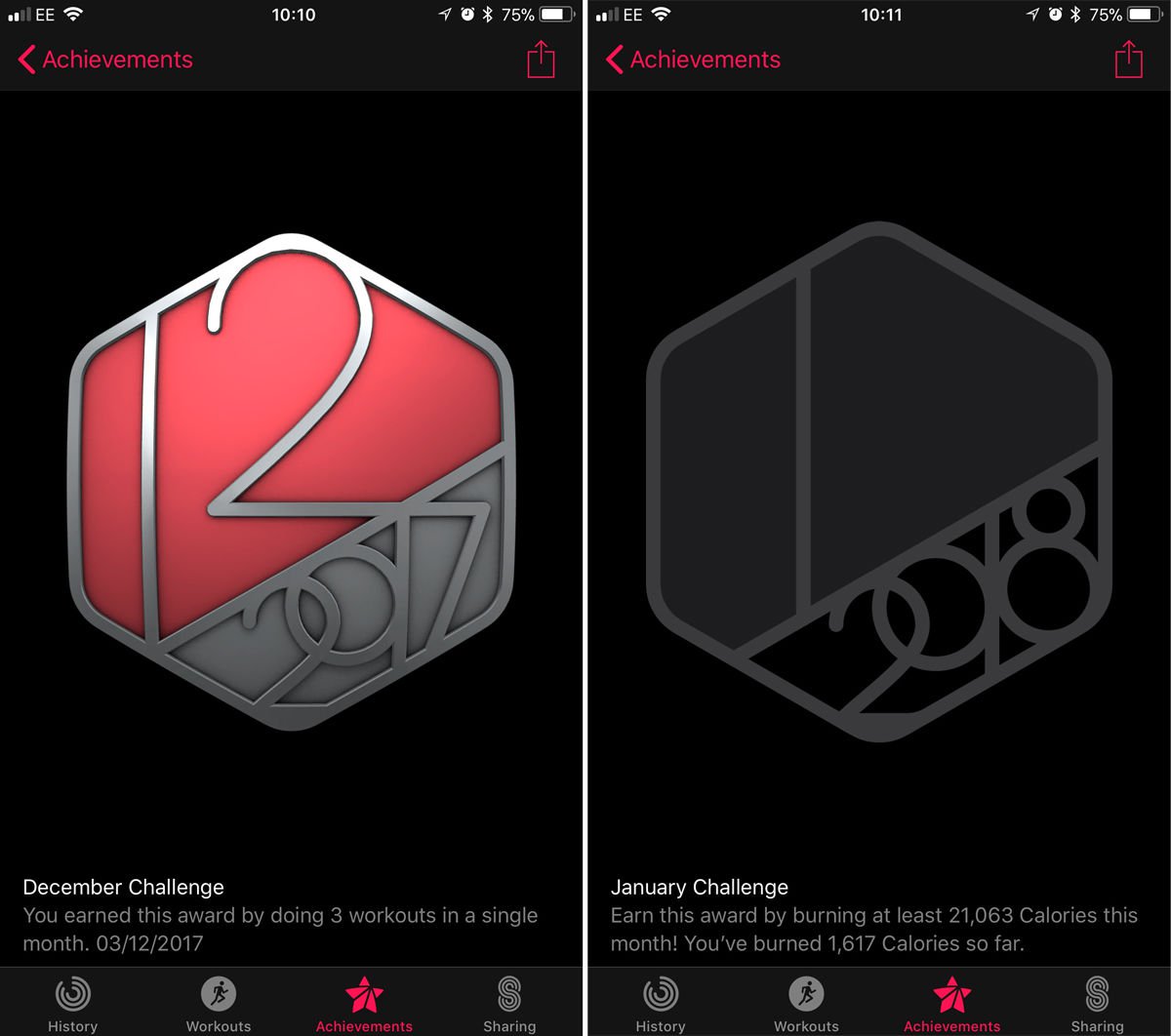
Monthly challenges (eg January Challenge)


A more recent addition, the monthly challenges look almost the same as the Perfect Month badges but have the year in silver instead of gold. They"re a bit more interesting, too: each month there will be different requirements. These tend to be easier than hitting the Perfect Month target.

The November 2017 challenge, for instance, set a target number of Exercise goals for the month (and this was a lot less than 30). December 2017 asked for at least 3 workouts, which wasn"t asking a lot.

At first glance January 2018"s challenge looks more difficult: it"s set a target for total calories burned in the month that"s 10 percent higher than our total in December. Luckily that was quite a rough month thanks to Christmas and all those parties.

How to get every Apple Watch Activity achievement badge & challenge: Monthly challenges

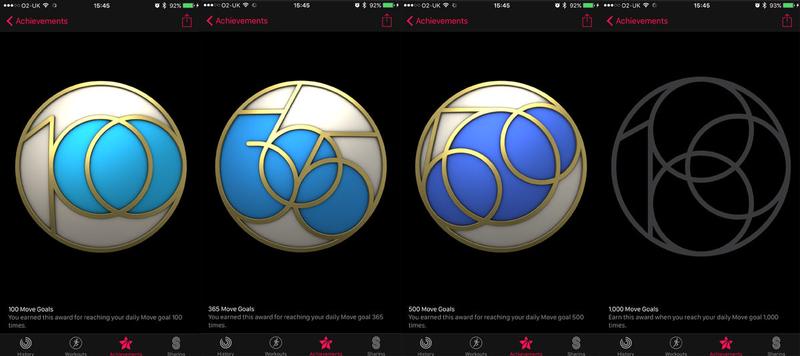
100 Move Goals


Hit your Move target 100 times. This doesn"t need to be a streak - you just need to have done this 100 times in total.

How to get every Apple Watch Activity achievement badge: Move Goals

365 Move Goals


Hit your Move target 365 times. Again, this doesn"t need to be a streak, just a total.

500 Move Goals


Hit your Move target 500 times, in total.

1,000 Move Goals


Hit your Move target 1,000 times, in total. This is the one achievement I haven"t got yet, but then again, no one has - the Apple Watch hasn"t been around that long.

One-off challenges


The badges above, with the exception of the specific month badges, are perpetually available: if you haven"t earned one yet you can satisfy its requirements in future. (You may have missed the April 2017 Perfect Month badge, but you can always pick up a virtually identical badge next April.)

But from time to time Apple announces special one-off challenges - achievements that must be earned within a particular time frame, and often on one particular day. You won"t know about them until shortly before the time (they tend to appear less than a week beforehand, although Apple pundits occasionally catch wind earlier that this) so you"ll need to move quickly.

Challenge badges appear at the top of your Achievements page, separated from the common or garden badges by a thin line. And as well as the badge, you"ll get an iMessage sticker you can use to show off to your friends.

How to get every Apple Watch Activity achievement badge: Challenges

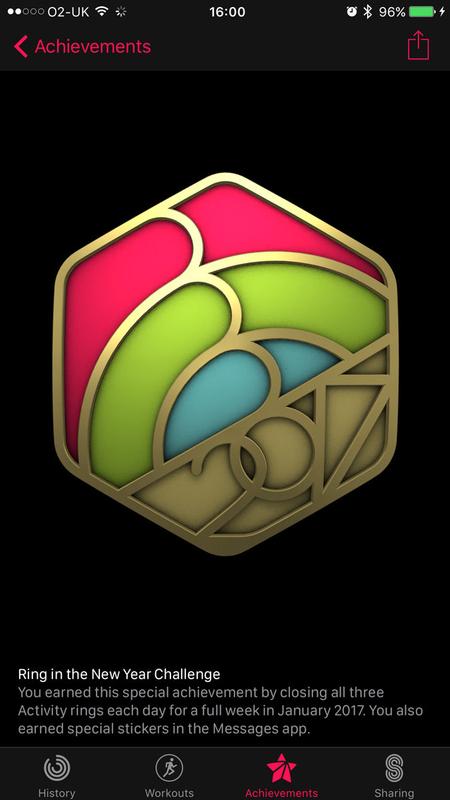
Ring in the New Year Challenge (January 2018 & 2017)


This was first awarded in January 2017 and is being repeated in 2018. To earn the badge you have to close all three Activity rings for seven days in a row in the month of January.

How to get every Apple Watch Activity achievement badge: Ring in the New Year Challenge

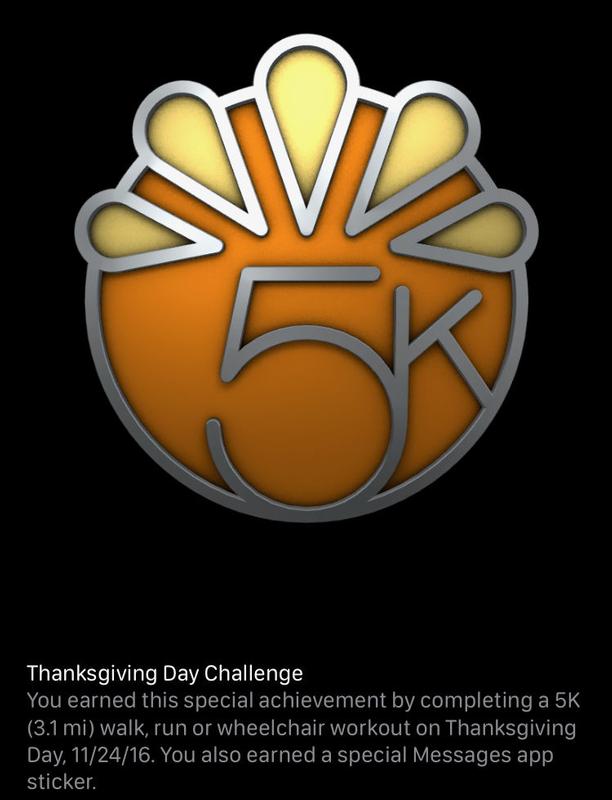
Thanksgiving 2017 (23 Nov 2017 & 24 Nov 2016, US only)


Like the Mother"s Day achievement this one was available only in the US, because even in the other country that celebrates Thanksgiving, it"s on a different day. This was also the first challenge badge to be repeated.

To get the badge you needed to do a 5K (or more) workout on Thanksgiving - it could be a walk, run or wheelchair workout.

How to get every Apple Watch Activity achievement badge: Thanksgiving Challenge

Veterans Day Challenge (11 Nov 2017, US only)


On 11 November it was possible to collect a badge in honour of Veterans Day. It"s a US-only badge, although we do commemorate Armistice Day on the same day here in the UK so perhaps something could have been worked out.

In any case, to get the badge you needed to do a workout lasting at least 11 minutes on that day - or multiple shorter workouts adding up to at least 11 minutes.

How to get every Apple Watch Activity badge

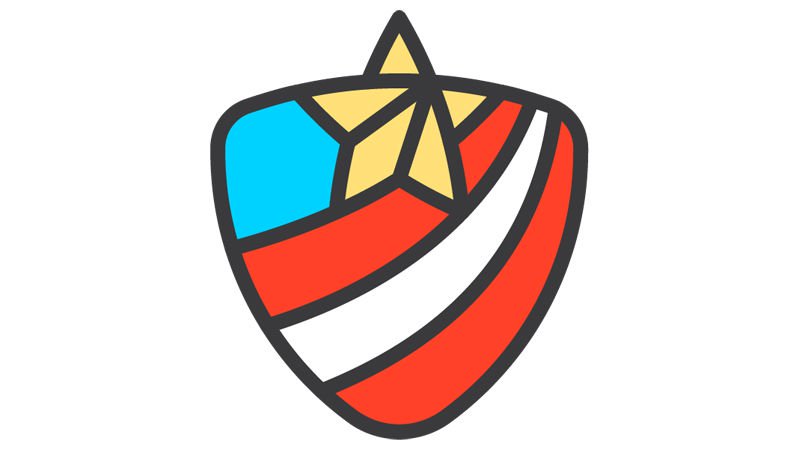
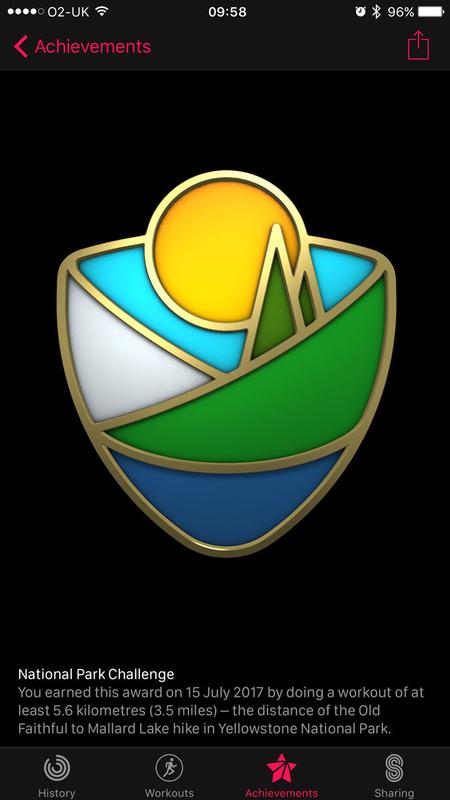
National Park Challenge (15 Jul 2017)


This took place on Saturday 15 July 2017. On that day you had to do a walk, run or wheelchair workout of 5.6km (3.5 miles) or more.

Why 5.6km? Apparently this is the distance from Old Faithful to Mallard Lake in Yellowstone National Park, a well-known hike. But despite these US-centric references, the challenge was available in the UK.

How to get every Apple Watch Activity achievement badge: National Park Challenge

Mother"s Day (14 May 2017, US only)


This took place on Mother"s Day in the US: Sunday 14 May 2017. (In the UK we celebrate Mothering Sunday on a different day; the next one is 11 March 2018. For this reason this badge was available to American Apple Watch owners only.)

You had to complete a walk, run or wheelchair workout of at least one mile on 14 May. This could be done using the Apple Watch Workout app, but it also worked with any third-party app that integrates with Health.

How to get every Apple Watch Activity achievement badge: Mother

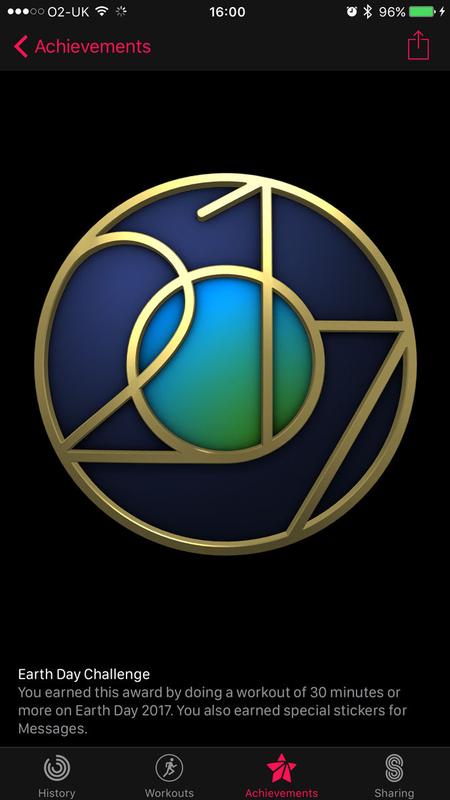
Earth Day Challenge (22 Apr 2017)


This was awarded on 22 April 2017 - Earth Day. Like the New Year challenge it may be available on Earth Day in 2018 as well, although Apple has not confirmed this. (Earth Day is always on 22 April, by the way.)

To earn the badge you had to do a workout of 30 minutes or more on Earth Day.

How to get every Apple Watch Activity achievement badge: Earth Day Challenge

Wednesday, 3 January 2018

Apple Watch Series 4 release date, specs & price rumours

The Apple Watch Series 3 was unveiled on 12 Sept 2017, and hit the shops 10 days later. But we"re already looking ahead to Apple"s next trick: when will the Series 4 be released, and what new features and tech specs should we expect?

In this article we sift through the evidence and predict what new features and technologies the Series 4 will offer (such as a sophisticated EKG heart sensor), as well as discussing what we would like to see next.

Release date


Three generations in, we"re starting to get a feel for Apple"s smartwatch launch schedule, which was irregular early on but appears to be settling down into an annual event.

These are onsale launch dates; the first model in particular was announced a long time ahead of this.

It"s early days but our money is on an update in autumn 2018, and most likely in September alongside new iPhones.

There has been a separate rumour that Apple could release a between-full-updates "S" edition of the Apple Watch: presumably a Series 3S, which would add extra storage options the Series 3 and come out before the Series 4. But until we see concrete evidence, we"re not convinced by this.

Design


Apple"s pretty much kept the same design for three generations in a row (aside from some minor cosmetic tweaks, such as a new material and colour options, and a red spot on the cellular model). Having broken a significant boundary when adding the cellular connectivity feature in 2017, we think the company may focus instead on an all-new design in 2018.

The longest Apple has kept the same broad design in its iPhone line-up, as a comparison, is three generations, from the iPhone 6 to the iPhone 8 - and the iPhone X ended that sequence a month later. Apple may feel that the watch sector is more aesthetically conservative than the phone one, but it would still be a surprise to us if they broke their record and had four essentially identical smartwatches on the spin.

Round face


But what would a reimagined Apple Watch look like? The circular-face rumour will inevitably reappear, but we"ve never liked the way that affects the interface on Android Wear watches (text gets squeezed at top and bottom, and usually ends up unattractively centre-justified). Apple"s interface control-freakery would probably preclude its catering for square and circular screens with the same OS.

Indeed, we would never have considered the round-face concept possible had we not seen the following drawing in a patent:

Apple Watch Series 4 release date, specs & price rumours: Patent

That patent is actually related to a strap design technology, which we will discuss below, and it could be round because Apple uses generic images for its patent designs to ensure a broad scope: this doesn"t necessarily mean a round design is being seriously considered.

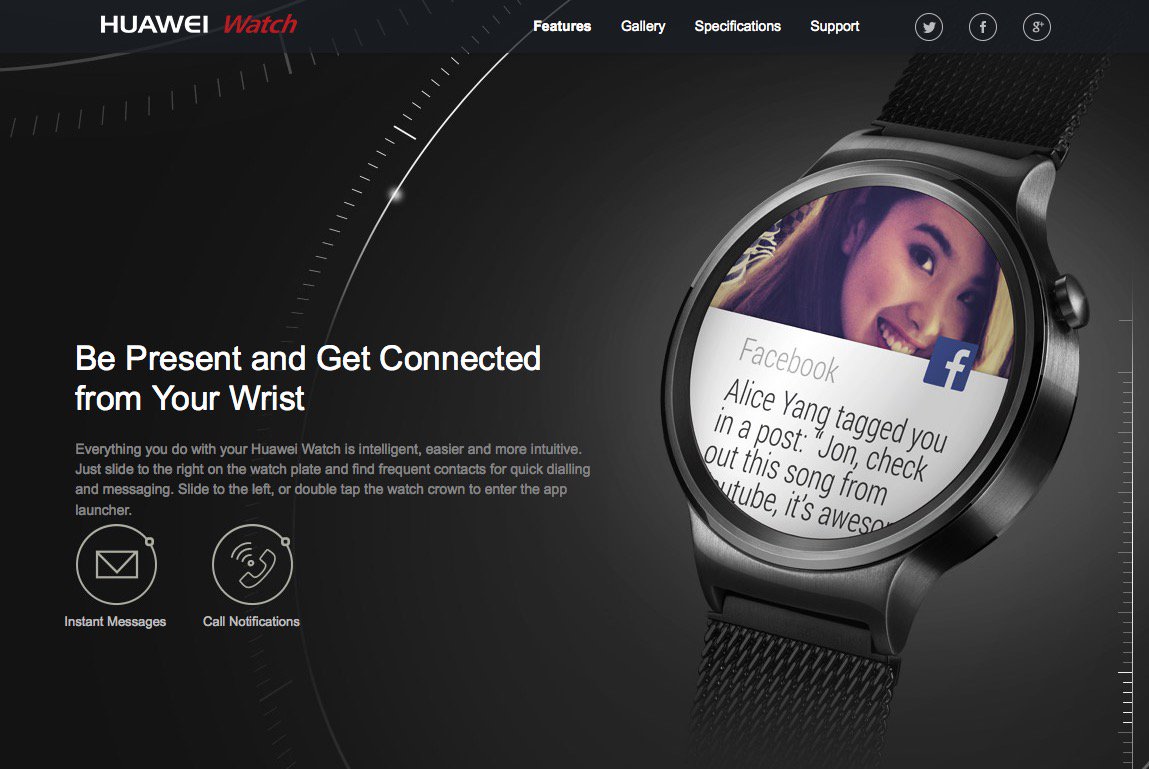
There are many Android Wear smartwatches that have round faces now making us wonder if people really do prefer circles. Smartwatches like the Huawei Watch 2, Moto 360 2 and LG G Watch R look like traditional watches with completely digital, circular displays and are extremely popular. (Read our comparison of the Apple Watch 2 and Huawei Watch 2 here).

Apple Watch Series 4 release date, specs & price rumours: Huawei Watch screen issues

Modular straps or smart bands


This is one of the more prominent rumours we"re hearing. The idea is that Apple is considering producing new multi-function smart bands that it will sell with the Watch.

By moving some of the technologies from inside the watch face and into these smart bands Apple would be able to add new features without being as limited by the small size of the Watch face. This would enable Apple to add such features as a camera, or a bigger battery.

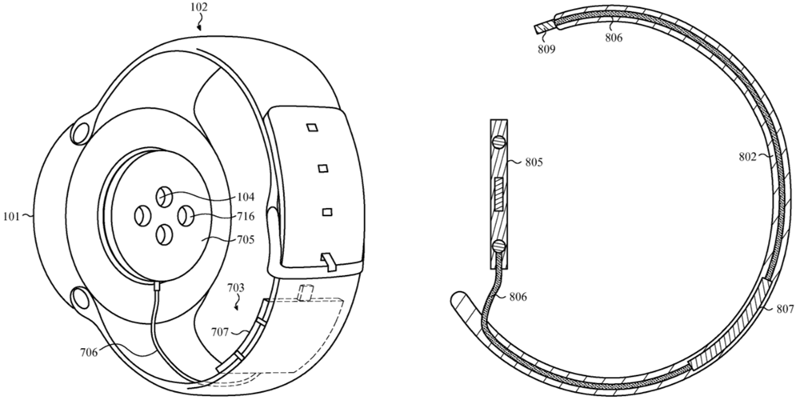
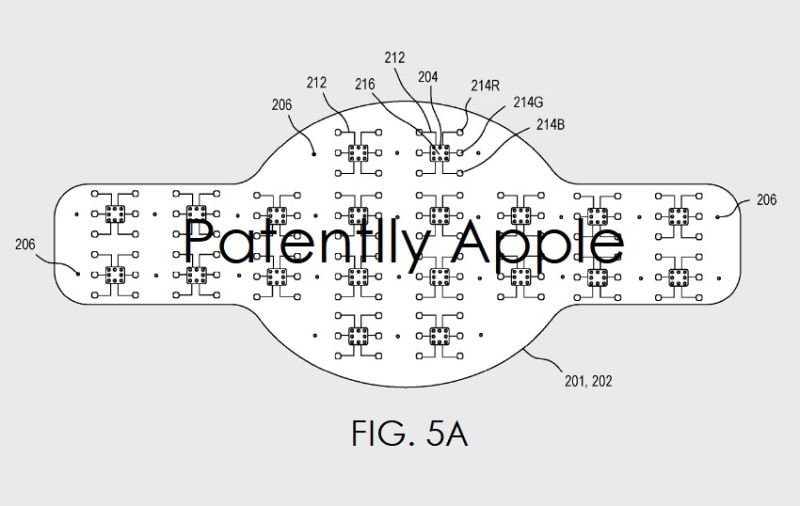
A number of patents have appeared suggesting that Apple has been working on this idea for some time. For example, a patent, originally filed in 2015, shows off a design for a band with its own battery.

The band could also house other components in a modular design, with each link performing a separate function. Users would be able to swap out modules depending on their requirements.

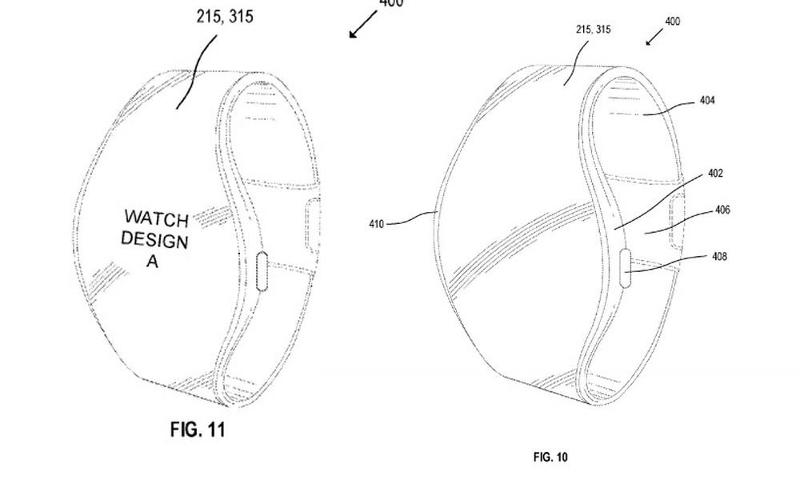
Another patent surfaced in May 2017 and was also filed in 2015. That patent is for "Display Module and System Applications", discovered by Patently Apple, shows an Apple Watch with a continuous display running from the watch face through the band. In the description that accompanies the image the patent states: "A flexible display panel #215, #315 (noted above) may be integrated into the smartwatch so that it spans both the watch face and band." This suggests that the watch face could extend into the band.

Apple Watch Series 4 release date, specs & price rumours: Patent

The patent also describes how a "module within the watch includes a processor and memory" and may also include a module to "communicate with a wide area network including a cellular data network".

Modular strap could also be useful for health monitoring.

Back in 2015, Cook said that while Apple had a keen interest in health-focused products, it decided against adding sensors to the watch because of concerns about FDA approval, which "would hold [Apple] back from innovating too much, the cycles are too long"; although Cook hinted at an accessory or app that could sit alongside it.

"But you can begin to envision other things that might be adjacent to it," he teased. "Maybe an app, maybe something else."

An interchangeable smart band would allow Apple to add health features to the Apple Watch. One area that the company is said to be interested in developing is glucose monitoring, and this could be offered via one of these smart bands. Smart bands should allow Apple to avoid submitting the watch for FDA approval: instead, only the band would need approval.

So perhaps an Apple Watch of the future could move some components into the strap, freeing up the watch face for other technologies.

Thinner & lighter


One of the bonuses of the modular bands described above is that it could free up the watch face, enabling Apple to make that thinner and lighter. (On the other hand, the whole watch could end up heavier if you include the pimped-up strap.)

New display design


Some illustrations in an Apple patent for "Display Module and System Applications," published in May 2017 by the US Patent and Trademark Office and discovered by Patently Apple, show what looks like it could be a new design for the Apple Watch. If you"d like to have an Apple Watch with a continuous display running from the face through the band, you might be pleased.

Apple Watch Series 4 release date, specs & price rumours: Patent

New wristband design


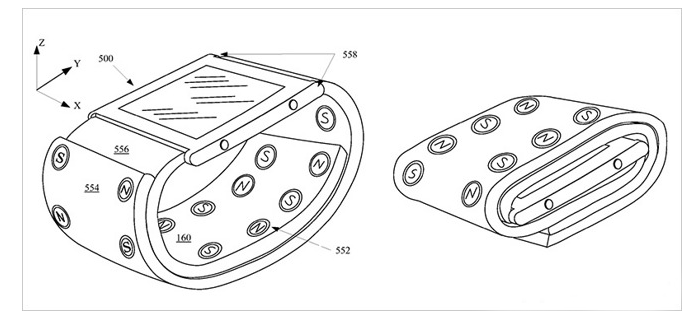
There are also patents that relate to the design of the wrist band: first spotted by AppleInsider in 2016, Apple has filed a patent for a Magnetic Wristband. The patent details a wristband for the Apple Watch that would feature a set of magnets embedded into it, allowing the two sides to join together.

For consumers, this means that when worn, the magnets would hold the Apple Watch in place (much like Apple"s Milanese Loop) - but it"s when the watch is taken off that the new band comes into its own.

Apple Watch Series 4 release date, specs & price rumours: Patent

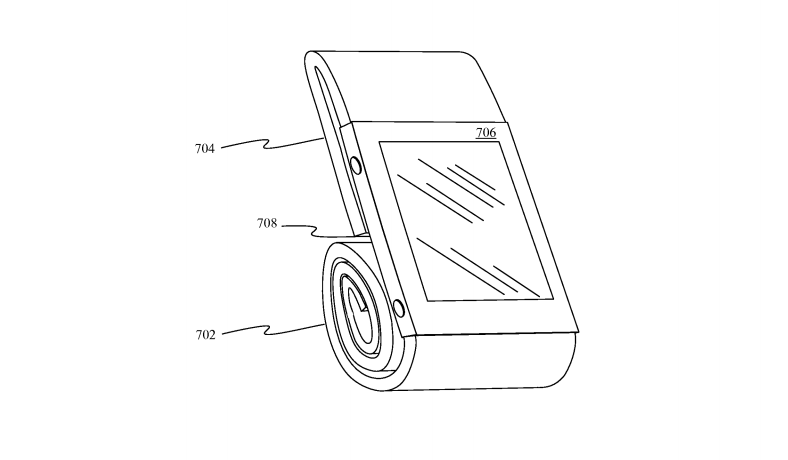
The strap could be wrapped around the watch, which would suspend the screen in the middle of the straps: ideal for protection when being stored or transported. As well as offering additional protection, the strap could also double up as a stand (ideal for Apple"s nightstand mode) as it"s been designed to roll up behind the watch, propping it up.

Apple Watch Series 4 release date, specs & price rumours: Patent

New features


Now you"ve got a good idea of what the third-generation Apple Watch will look like, we"ll look at possible Apple Watch Series 4 hardware features.

Built-in camera


The current Apple Watch can be used as a camera viewfinder so that you can take a remote photograph with your iPhone, but it can"t actually take photos itself or make video calls. However, if the rumours about the modular straps are correct, a camera could find its way into the Apple Watch soon.

Apple has patents for a wearable device that features a front-facing camera. It was rumoured to appear in the Series 2 and 3, but the feature wasn"t announced. It"s likely we could see this feature being included in the next iteration.

Opinions differ on whether this is intended to cater for FaceTime or selfies (or both), and whether it will offer video or just stills photography. The new camera would be integrated into the top bezel of the watch.

This feature does sound interesting, though we"re not too sure how many people would actively FaceTime via a watch. It would be painful holding up the wrist for more than a few minutes, for one thing.

Still, Apple has already made its watch partially FaceTime-ready: watchOS 2 brought support for FaceTime audio calls. Does that indicate that it"ll soon move on to video calls? Perhaps.

Patently Apple, meanwhile, has spotted an Apple patent that appears to support the inclusion of a selfie camera - a front-facing stills camera, in other words; not necessarily one that"s capable of FaceTime video - in an Apple Watch in the future.

Apple Watch Series 4 release date, specs & price rumours: Selfie camera

Patent 20160174025, which pertains in seemingly broad terms to methods for "facilitating access to location-specific information using wireless devices", but actually focuses on wearables, contains a reference to digital photography and its use "to capture images of the user". Also see: How to write apps for the Apple Watch.

Apple Watch Series 4 release date, specs & price rumours: Selfie camera

Better battery life


Calls for the Apple Watch battery to improve were answered with the release of the Apple Watch Series 2, which features a battery that should last two days between charges (the original Apple Watch needed charging every day).

Apple Watch Series 4 release date, specs & price rumours: Battery

Better battery life also opens up more functionality in the Apple Watch, mainly with regards to sleep tracking. One problem with the Apple Watch battery is that the necessity of charging it at night means that people can"t use it for sleep tracking. With a longer battery life, users could wear the Apple Watch to bed and get accurate stats about their sleep - information that"s pretty popular, judging by the success of sleep-tracking apps such as Sleep Cycle.

Fortunately, it looks like Apple may be taking note. According to Economic Daily News Apple"s focus with the Watch 3 is battery life, as per a January 2017 report on 9to5Mac.

Related: How to improve the Apple Watch"s battery life and Best Apple Watch charging docks

New health sensors


Ahead of its original launch back in April 2015, there was a lot of talk regarding Apple"s plans for the wearable and specifically that it"d be loaded with health sensors. So far that"s not proven to be the case, with heart-rate and activity tracking offering a standard level of fitness tracking, but nothing more. There were reports at the time of launch suggesting that the sensors available at the time just weren"t accurate enough - and no risks can be taken when it comes to health monitoring.

In an interview with The Telegraph in November 2015, Tim Cook hinted that the company may make a medically approved device, but it wouldn"t be the Apple Watch. Cook explained that the disruption that FDA accreditation would cause to the product release cycle ultimately put him off having the Apple Watch vetted for full-blown health use. Although with this being said, it hasn"t completely put him off the idea of building a product for use in the medical world:

"We don"t want to put the watch through the Food and Drug Administration (FDA) process. I wouldn"t mind putting something adjacent to the watch through it, but not the watch, because it would hold us back from innovating too much, the cycles are too long. But you can begin to envision other things that might be adjacent to it - maybe an app, maybe something else."

As we discussed earlier in this piece, the company may have found a way around the need for FDA approval, by placing these health related sensors in interchangeable straps that can be worn with the watch.

EKG sensor


In December 2017, Bloomberg reported that Apple was working on embedding sophisticated EKG technology in the watch itself (which brings back the FDA issue, so this might be one for the Series 5). Whereas the current watch line-up are capable of monitoring present heart activity and collating past data, this feature would make the watch far more capable at predicting upcoming heart-related problems.

Citing "people familiar with the plan", the site said that one version being tested "requires users to squeeze the frame of the Apple Watch with two fingers [which] then passes an imperceptible current across the person"s chest to track electrical signals in the heart and detect any abnormalities like irregular heart rates."

Health-related hires


The company is certainly showing interest in health. In December 2015 and January 2016, Apple posted two listings looking for biomedical engineers with a background in "medical, health, wellness and/or fitness sensors, devices and applications". Although there is no mention of the Apple Watch in the listings, it"s widely assumed that the roles are related to the listing for a fitness software engineering manager, which went up in November and is specifically for the Apple Watch.

BuzzFeed News also reported that over the last three months, Apple has stolen employees from all over the medical field. An example given by the news outlet is Anne Shelchuk, who has a doctorate in biomedical engineering. Shelchuk left the ultrasound software company ZONARE Medical Systems back in November to work with Apple"s health technology team, according to her LinkedIn.

Along with Shelchuk, Apple has reportedly snapped up medical engineer Craig Slyfield, system design engineer Nathan Clark, who has a patent for a device that separates cells, Jay Mung, who worked on sensor algorithms for Medtronic"s continuous glucose monitoring systems and Jennifer Hillier, a former exercise physiologist at the University of California.

The company is said to have been investigating ways in which the watch would be able to "non-invasively monitoring blood glucose", according to a CNBC report, and the company is said to have hired 200 health PhDs to help it innovate in this area. Reports suggest that the next Apple Watch could offer blood sugar monitoring.

Apple Watch Series 4 release date, specs & price rumours: Health

Software


Whatever design and features the third-generation Apple Watch sports, we assume it"ll boast watchOS 5. According to the usual schedule this will be announced at WWDC 2018 in June of that year, and released the following autumn.

watchOS 5 will bring a range of new features and interface tweaks to the Apple Watch. These will be optimised to run best on the new Series 4 hardware, but owners of most or perhaps even all Apple Watch models will be able to upgrade and get the new features for free. This may not be the best of ideas in some case, since our original model has slowed down noticeably since upgrading to watchOS 4 and even our Series 2 is not what it used to be.

Tech specs


It"s very early to speculate about the Series 4"s innards, but we"ve heard one credible rumour already:

Liquid crystal polymer antenna


Ming-Chi Kuo has published a report predicting that the liquid crystal polymer (LCP) circuit board tech currently used in the iPhone X and iPhone 8 will be rolled out across the Mac and Apple Watch ranges. In the case of the next watch this will be used in the cellular antenna.

LCP is more resistant to heat and moisture than other technologies, but when used in the antenna it adds the benefits of a more stable frequency signal transmission.

UK price


At time of writing, the Apple Watch Series 3 starts at £399 (with cellular) or £329 (without) in the UK; in the US the equivalent figures are the same, only in dollars.

Depending on how radically Apple rethinks the Series 4, we"d expect pricing to remain the same or almost the same when the new models are released; any previous-generation watches that remain on sale will get a juicy price cut.

You might not have to pay full price for the Apple Watch - here are some Apple Watch deals and our Apple Watch buying guide so you can avoid paying more than you need to.

Tech to Watch in 2018: Cryptocurrency, AI, Wearables

Guesswork is often involved in predicting the "next big thing" -- but with CES just a week away, the future is almost now. The annual international trade show, as well as other industry events following one after another -- including ITExpo, Gitex, Mobile World Congress and Techspo -- means there will be no shortage of product announcements, technology unveilings, and proclamations about the tech of the future.


However, the truth is that for every hit product or trend in years past -- such as the DVD player, iPhone or streaming media -- there have been plenty of misses. In recent years, 3D made a comeback of sorts, and it was heralded as the future of movies and TVs. Yet few viewers are donning the cumbersome glasses today. Who remembers DivX or the Zune? And whatever happened to WiMAX?

To predict the future, one must not only consider what is trending now, but also ponder what is missing. 3D didn"t take off in 2012 for the same reasons that it was a novelty in the 1950s, again the 1960s, and even in the 1980s.

Technology that truly is innovative doesn"t look to solve a problem that isn"t there. The next big thing -- or things -- will address the demands of consumers and the needs of businesses, and make life better. Tech innovation could come in many different forms.

Cryptocurrency: Cash in 2018


Digital money, also known as "cryptocurrency," was certainly in the spotlight at the end of 2017, thanks to bitcoin"s meteoric rise. However, bitcoin is just one of the more popular alternatives to traditional cash. Cryptocurrency could be among the big trends to watch in 2018.

"We now have something like 1,200 different [digital currency] products out there, and more every day," said Jim Purtilo, associate professor in the computer science department at the University of Maryland.

"This tells me we"re in for a "trough of disillusionment," as more people look into this but without the perspective to figure out when they are getting value or even to tell when the products work," he told.

One downside could be that these technologies aren"t quite as untraceable as people may think -- but that likely won"t dissuade those intent on investing in cryptocurrency.

"There is spectacular promise in the algorithms, but the markets have a lot of shakeout to go through before the promise is realized," Purtilo said. "We"ll see some of that shakeout in the coming year before some smart innovator can blend together ingredients for the right secret sauce that everyone likes."

Artificial Intelligence: Even Smarter


It is still doubtful that the machines will rise up against the human masters in 2018, but it is likely that artificial intelligence will continue to get smarter and possibly take on new roles.

"Humans will feed the machines," said Josh Crandall, principal analyst at Netpop Research.

"There"s no stopping artificial intelligence and machine learning," he told.

"Machine learning and artificial intelligence will penetrate further into our lives and impact a lot of the processes that are currently manual," said Greg Sterling, vice president of strategy and insights at the Local Search Association.

"This will be especially true in online marketing and digital media," he told.

However, hype may outpace reality in terms of what exactly computers can do, and many of AI"s advances may be evident only behind the scenes.

"AI is going to surpass robotics in the public"s eye when we discuss automation and work force policies," suggested Purtilo.

"That is a little artificial as a distinction, since robotics has always been perceived as an AI thing, but AI"s increasing power will broaden the discussion," he said.

"In 2018, it won"t be just entry-level workers in a fast food chain losing jobs to a burger-flipping robot," Purtilo predicted. "It will be financial services advisors and law clerks losing jobs to deep learning algorithms."

To get there, companies may need to rely on consumers to provide the raw data points that will be needed to improve such systems.

"It will be a frustrating year as these assistive technologies, which aren"t quite helpful yet, offer suggestions and recommendations that don"t provide the solutions we are really looking for," said Crandall, "but don"t fret -- the technologies will continue to improve and become more personalized."

Wearables: Taking Off?


Another trend that has long been on the cusp has been wearables -- yet even Apple has been only marginally successful with its Watch. 2018 could be the year that wearable devices finally go mainstream -- but to do so, they may need a redesign.

"The [current] form factors are simply too limited to justify what continue to be premium prices for smartwatches and high-end fitness trackers," said Charles King, principal analyst at Pund-IT.

"But healthy sales of Amazon"s Echo and Google Home [suggest] we"re reaching a tipping point for smart hubs opening the door to new homes and office services," he told.

That development could require a shift away from wired devices -- such as earbuds for smartphones -- to Bluetooth-enabled headphones and speakers.

"This could also portend the rise of other wireless peripherals that leverage smartphone brains for enhanced functions and services," King suggested.

Seeing -- or in the case of wearable devices, not seeing -- may be believing.

"Wearables are going to be more present and more invisible than ever in 2018," said Julie Sylvester, a producer at Living in Digital Times.

"Longer battery life, more fashionable form factors, easier to wear, and more sustainability are going to contribute to wider adoption of wearables in 2018," she told.

Where wearables are worn likely will continue to evolve in 2018 and beyond.

"More and more workplaces will be either issuing wearables to their employees or making accommodations for wearables," said Robin Raskin, founder of Living in Digital Times.

They could be used for training, facility access and even payment. Glasses may make a comeback in the workplace, for applications such as training, she told TechNewsWorld.

In addition, expect "new wearables that involve other senses -- haptics, environmentally responsive fabrics, brain stimulators," she said. "We"re going to see lots more of those."

Circuits could be woven into the bioengineered materials -- think leatherless leather -- which could be useful for retailers and consumers alike.

"Imagine a tag that knows that it"s real not counterfeit, or that it"s left inventory, or that the owner should get a coupon for shoes to match," said Raskin.

Facial Recognition: The Best ID


Putting one"s best face forward could be the akin to showing a photo ID. Just as fingerprints can be matched to one individual, the characteristics of one"s face also are unique -- even though people may seem to look alike. Facial recognition technology could become far more widespread in 2018.

Apple already has taken a leap with the release of the iPhone X, which allows users to unlock the handset by looking at it.

"Apple"s products have pushed wide public adoption of a number of technologies, from WiFi to streaming music to virtual keyboards," observed futurist Michael Rogers.

Apple isn"t the only company to explore the possibilities.

"Facial recognition is already here, behind the scenes in an increasing number of commercial and public spaces," Rogers told . "Soon it will show up everywhere from cash registers and ATMs to home security systems and smart signs that tailor content to the viewer."

The ease of simply being scanned to be recognized may come with a downside, however.

"It will represent another significant loss of privacy -- this time, public anonymity," Rogers explained. "It may be some kind of consumer application that actually creates the most public concern -- something along the lines, perhaps, of "Who"s that cute girl?""

Mobile Phones: Video and Convergence


It would be easy to suggest that the years 2007 to 2017 -- from the arrival of the first iPhone to the latest model -- have been the decade of the smartphone. Apple"s iPhone and Google"s Android operating system helped grow and transform the market, snatching it from previously dominant BlackBerry and Palm.

The smartphone has become the ubiquitous device that is carried by almost everyone almost everywhere. 2018 won"t be the year of the smartphone, but it could be the year the smartphone does even more.

"Video will drive the market for mobile service and devices in 2018," said Steve Blum, principal analyst at Tellus Venture Associates.

"Consumer electronics is collapsing into a two-product industry -- smartphones and big screen televisions -- and the balance is tipping towards phones," he told .

"The end of Net neutrality will accelerate the shift, as the big four U.S. mobile carriers use their control over network traffic and service pricing to sell more content and capture more viewing time," Blum added.

It"s likely that an old buzzword could make a comeback.

"That is "convergence,"" said University of Maryland"s Purtilo.

"I base this prediction on the emergence of tools for lean manufacturing of progressive apps, which are browser-based programs that work seamlessly across many platforms," he explained. "Instead of making one app for an iPhone and a second for Android, a builder can create a single product for all, and leverage very clever caching techniques to ensure it works fast too."

That could keep build costs low, while inviting developers to invest effort into designing products that combine the functionality of many smaller apps.

"Why have dozens of inconsistent apps on your phone when one service with a common interface will offer better value?" Purtilo pondered. "Consumers will converge on progressive apps because of the utility, and companies will have business incentives to be the ones offering consumers those services."

Tuesday, 2 January 2018

How Many People Can Simultaneously Watch Netflix per Account?

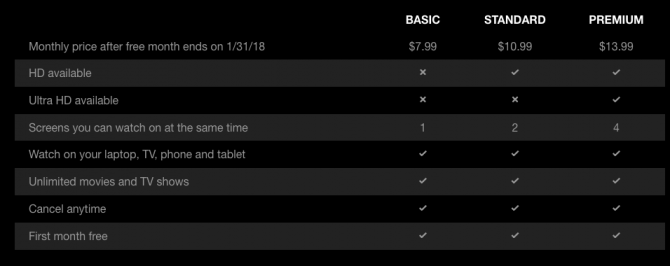
With an average of seven screens per American household, there may be plenty of competition to get on Netflix in your home. The number of devices that can simultaneously watch Netflix on one account depends on the type of account you have.

How Many People Can Simultaneously Watch Netflix?


  • If you have a Basic subscription and are paying $7.99 a month, that means you can only watch Netflix on one screen.

  • If you have a Standard subscription and are paying $10.99 a month, that means you can watch Netflix on two screens at the same time.

  • If you have a Premium subscription and are paying $14.99 a month, that means you can watch Netflix on four screens at the same time.

How Many People Can Simultaneously Watch Netflix per Account? Netflix Screens e1514819982631

How Many Netflix Profiles Can You Have?


With Netflix’s multiple profile feature, you can keep all your watching habits totally separate, and can also create kid-friendly profiles for your young ones.

You can create up to five Netflix profiles on one account.

Should You Share Your Netflix Password?


Much has been written about this topic, but the short answer is that technically you can. While they are presented as household accounts, Netflix doesn’t restrict use by IP address. After all, you could be watching Netflix on-the-go on your phone.

While some of your own local laws might restrict password sharing, as is the case in Tennessee for example, legal experts weighing in on the subject have said it’s unlikely that Netflix will go after users.

And the Netflix CEO himself described password sharing as a positive thing. All that being said, some predict that pressure from investors may result in restrictions on password sharing simply due to lost revenue.

How many people in your household use Netflix? What’s your take on password sharing for services like Netflix and Hulu? Let us know in the comments. 

Marvel timeline: How to watch every MCU property in order

spider-hold.jpg

You"ve probably seen most of Marvel"s films, but what about the TV shows? If you"re like me, that is to say a continuity junkie, timelines are very important to you -- but timelines in the world of comics and movies can be more than a little confusing.

Editors" note, Dec. 31, 2017: We updated our biggest update ever to give some updates on updated dates, especially with all the new shows premiering soon (or announced, or pushed) and with even more upcoming films. Think you"ve found a mistake? Let me know in the comments!

So to either help you fill in the gaps before "Avengers: Infinity War," to just watch all the shows for fun, or even merely try to impress your friends, we"ve created a timeline of Marvel"s Phase 1, 2 and 3 (and bits of 4) properties in the perfect viewing order.

The Marvel Cinematic Universe, as it"s called, also sometimes includes connected properties such as movie tie-in comics or shorts. Here we"ve left out smaller properties and stuck to the big two: films in red, shows in black.
marvel-timeline-v2-1

Also, you should definitely still note that "The Incredible Hulk" is still skippable (we even watched it recently just to confirm) and even William Hurt ("Thunderbolt" Ross himself) has admitted it. Speaking to IGN, Hurt said that "[Ross in "Civil War"] is different because it"s a different style...And what they"ve done is they"ve taken a character who was the Ross from the older film and made a new version. This is a much newer Ross. A much different Ross." After watching both, we can confirm this is indeed the case.

You"ll also notice that shorts and the Marvel "One-Shots" are missing from the graphic. These are brief videos initially created as standalone stories to provide backstory for characters or things seen in the movies; two of them would later become full-fledged shows.

Marvel One-Shots


Title, release dateTakes place...
The Consultant (Sept. 2011)During the end of "Incredible Hulk"
A Funny Thing Happened on the Way to Thor"s Hammer (Oct. 2011)Directly before "Thor"
Item 47 (Sept. 2012)Immediately following the Battle of New York in "Avengers"
Agent Carter (Aug. 2013)One year after "Captain America: The First Avenger;" before "Agent Carter"
All Hail the King (Feb. 2014)Roughly two years after "Iron Man 3;" before "Agents of S.H.I.E.L.D."

Marvel Webisodes


Continuity in the MCU


There"s definitely some continuity strangeness when you have both movies and television show properties, and those listed on the graphic are no exception.

Season 1 of "Agents of S.H.I.E.L.D." saw the release of two Marvel movies and had to contend with incorporating those plots. Airing after the release of "Thor: The Dark World," episode 8 of "S.H.I.E.L.D." definitely takes place directly after those events.
doctor-strange

Later in the same season, episode 16 aired the same weekend as the release of "Captain America: Winter Solider," and in a neat bit of continuity, the events portrayed on "S.H.I.E.L.D." take place at almost the same time as the film. (Some people say episode 16 comes before "Winter Soldier," and you can certainly treat it as such. The *absolute* best way to watch them would be simultaneously, but have yet to see anyone make that "fan edit.")

Netflix"s "Daredevil" and "Jessica Jones" also have wibbly-wobbly timelines. Early in the series, the Battle of New York is referenced as The Incident, and it"s said that it occurred about two years prior. But because of the show"s lack of interaction with any big-screen Marvel characters, it could take place almost anywhere on the timeline between "Thor: A Dark World" and "Avengers: Age of Ultron." In our timeline, we placed it concurrent with the second season of "S.H.I.E.L.D." so as to stay closer to the time it was actually released.

"Guardians of the Galaxy Vol. 2" is higher up than you may have expected -- that"s because of the number of years the film says have passed, meaning it takes place just a few months after the first film.

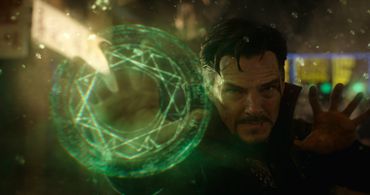
Finally, many commenters feel that "Doctor Strange" should come before "Winter Soldier," and they cite the scene with Jasper Sitwell on the roof naming Stephen Strange. But to be honest, this one has a better explanation as "the algorithm was right on the money with Strange" rather than "he was already a sorcerer" by then. In fact, one IGN editor has a pretty great breakdown of why this is exactly the case here.

It could probably go either way but all signs point to "Strange" taking place afterward. (But with time manipulation up for grabs now, who really knows??)

Upcoming films


Marvel Studios president Kevin Feige told me is very important to Marvel: "You look at any of our films and they"ve been very diverse," he said. "We feel like we"re just doing justice to the books by representing that fully."

And after "Thor: Ragnarok" this weekend, the slate of MCU films does look a bit more diverse. "Black Panther" comes out in February 16, 2018, and is the first Marvel film with a POC as the lead, with Chadwick Boseman as the title character. The film also stars Michael B. Jordan ("Creed"), Lupita Nyong"o ("Queen of Katwe"), Danai Gurira ("The Walking Dead"), Daniel Kaluuya ("Get Out"), Angela Bassett, Forest Whitaker -- the list goes on, but hopefully you get the idea.


Check out our CNET Magazine feature on Boseman, that accent and the power that is Black Panther.
Chadwick Boseman

"Avengers: Infinity War" drops May 4, 2018. Directors Joe and Anthony Russo say there are some unexpected characters and, oh, it"s basically a heist movie with Thanos at the center of it all.
With "Infinity War," the biggest new element to the movie is Thanos and the fact that he"s entering the storytelling in a very bold, strong way, to the degree that he"s almost one of the leads. We"ve shaped an interesting narrative around him that in some ways leans heavily on a heist film in the fact that he"s going after the infinity stones in a much bolder, successful way than he has in the past. The entire movie has that energy of the bad guy being one step ahead of the heroes. We looked at a lot of movies that had that heist-style energy to them, [and] that brought some inspiration.

For more info on the next Avengers film, check out Erin Carson"s interview with the brothers.

"Ant-Man & the Wasp," starring Paul Rudd and Evangeline Lily, is set for a July 2018, making it the first film to give title billing to a woman. And let"s not forget that Brie Larson will be playing Carol Danvers in 2019"s "Captain Marvel."

With "Avengers: Infinity War" set for a May 2018 release, what"re the odds we"ll see Larson"s character well before her own film arrives? (I"d say pretty good.)

On the small(er) screen


Netflix"s Marvel shows still rule outside of the theaters, but ABC attempted to jump back into the game with "Inhumans" this fall but poor ratings mean any whisper of a second season is gone. The fifth season of "S.H.I.E.L.D." has taken our heroes to the future (literally), but no word yet on its own.

New Marvel shows are now pretty consistently popping up, but only some are within the MCU canon. Next year, "Cloak & Dagger" is set to premiere on ABC"s young adult channel Freeform -- it still has no premiere date, but there is a trailer. "Marvel"s New Warriors" was originally intended for the same network next year, but in November THR revealed it was being shopped to other networks. It currently has no air date.

Also, "Marvel"s Runaways" launched on Hulu recently; essentially the series centers on a group of teenagers who come together to defeat their evil parents.

As for Netflix-Marvel properties, for the most part these series have fared better than the ABC projects. Speaking to CNET Magazine, Mike Colter mentioned that the humanity of Luke Cage and The Defenders is a big part of what he thinks resonates with people.

"A big part of what separates the Netflix kind of Marvel Cinematic Universe from the films is its ability to stay away from "quote, unquote" superheroes, mysticism and alien interference. So yeah, I feel like it"s got its own audience. Our characters you know, we do tread some of the same territories as people [in real life]... We"re doing something different -- not better, but just different. You can have both."

Here"s where those Netflix properties stand as of now:


The growth of the Marvel universe is extraordinary (har-har), and as the comics giant introduces new fans to new characters (some people had no idea who Doctor Strange was a couple of years ago) and partners with cable television and Netflix to expand even further, we could see some pretty epic pairings, teams and characters come out of the woodwork.

So, be honest. Which characters would you want to see in Marvel"s not-yet-announced-but-certainly-inevitable next phases on both the small and big screen?